Showing posts with label PC. Show all posts

Friday, June 9, 2017

India Ranks 89 in Average Internet Connection Speed

According to the latest Akami State of The Internet Report, India ranks 89 globally in average connection speed. The report observes that the average connection speed in India is around 6.5 Mbps. This makes India 14th of the 15 countries surveyed in the Asia Pacific region. It is worth noting that Asia Pacific region contains the global leader South Korea.
In terms of peak speed, India is in 15th position in Asia Pacific region and  the global rank is an abysmal 97. Despite the high penetration of 4G networks like Jio and Airtel and higher smartphone adaptation, the country remains far behind both globally and in the neighborhood in terms of connectivity speed.

Further on the distribution of broadband speeds, 42% of Indians have 4 Mbps lines, 19% have 10 Mbps lines and only 10% have 15 Mbps lines. On an interesting side note, USA ranks 28th in terms of Wireless Connectivity speeds!

Sunday, March 30, 2014

Games I Loved to Play Back Then!

I started using computers back in 1992. At that time, in my village, only few computers were in use. None of them had those fancy and costly GUI or mouse. Almost all of them ran DOS and I remember one Apple machine which started malfunctioning the very next day I joined the computer class. As everyone else, for me computer class means, playing games and boasting everywhere else that I am a hardcore programming geek :-) So, here I am going to share my experience about few games which I played as a kid.

1. Paratrooper

This was the first game I saw on a PC. That was the first PC I ever saw itself. When I walked in to the computer classroom, I saw a girl tapping the keyboard franticly. I looked in to the screen and some helicopters and paratroopers. WOW! That was cool. I thought in few days, I could also do many such things in computer (i.e. I thought I could develop a game itself!) It is a very crazy game. When 3 or more paratroopers land on any one side, you are doomed. Also you should be careful about those bombers.

2. PC Man

This is the second game I saw in action. It was usually played by those seniors or tutors in the class. We just sit behind them and cheer them. I remember seeing one person going up to 8 or 9th level. This game was awesome and it was highly addictive. This looks great those black and white PC screens.

3. Dangerous Dave

This game is the first side-scrolling game I ever played. It was bit advanced compared to PC Man or Paratroopers. It had entirely different levels, guns, jet-packs, wrap-zones (bonus levels). It has 10 exciting levels. In every level, we need to collect a trophy to get access to the door. We have played till we have attempted all funny things in that game and scored up to all possible digits showed 9 :-)

4. Prince of Persia

The first game with descent storyline and good graphic (yes, back in those days). You have to fight sultans to rescue the princess from the evil Jafar. To open a door, there are keys on floor. In some level (I don't remember), the key would be in a very distant and dangerous place. Even a second's delay the door will close before you return. There are magic potions to give health, ability to survive falls etc. And to note, this is the first game in which I used cheat codes. You can increase health, instantly kill enemy, increase time left etc with those cheat codes!

5. Wolf 3D

There was a new PC one day. It had color monitor. It had a mouse! And it had Wolf 3D on it! Wow!!! This became the favorite game of mine for 3 years. I played and played till those crazy 3D effects gave me headaches and nausea. But still, the sessions used to continue for hours. If you are a Nazi hating person like me, then this is your game! You can kill those evil Nazis, even today from your PC ;-) This game also had cheat codes. I just go in to god mode (can't be injured) and take all weapons and start shooting anything on sight!

Those were the golden days of PC games. PC had a different meaning back then. We enjoyed games with minimal effects but great concepts. We even wrote some games in GWBASIC. Even today when I am free, I visit http://www.msdosgames.com/ and play my childhood favorites. Given are just few games. I loved lot more games like Ninja Turtles, Shadow Knights, DemonStar, Lion King, Aladdin, F1 Race, Road Rash and hell lot of others. Please share your childhood game experiences in comments. Thanks for reading.

Thursday, March 20, 2014

My Favorite Addictive Games

I am a very poor gamer. I hate playing games generally. But sometimes I play games to the level that the game starts to interfere my daily life. I used to forget about exams next day or having supper till all the shops are closed (when I was staying alone). But wait! Don't imagine some games with pretty graphics or which needs lot of finger works. Games I love may look silly. Here comes the list

1. Minesweeper/KMines/Mines

Even though I exclusively use GNU/Linux at home, I worked with some XP machines in college labs, friends' houses and at work. From there I got infected with Minesweeper. That is the only thing I love that comes from the house of Microsoft. But still it is morally wrong to play it! I am the guy who frantically clicks both mouse buttons during those silent post-lunch sessions. Even at home I play KMines/Mines. I prefer KMines/Mines indeed, because they are free software. This game is suitable to be played in short breaks.

KMines - KDE flavor!

The GNOME Mines

2. KReversi/Iango

There was a game in my old Nokia 2300 phone. It was named "Opposite". The game is very simple yet interesting one. I remember playing a similar game in TV video-game at my friends home only once. Its name was "Othello", I think. If you get the corners and with some trick moves, you can win. This game is also suitable for quick breaks, bus travels etc. I used to play between studying each unit while preparing for examinations. I have even taken 64/64 in all difficulty levels in my phone.

Kde's KReversi

Iango

3. Freeciv

This is a weekend game. If you want to earn the ire of everyone in your family, then try Freeciv on a weekend day. You will forget to take bath, eat your breakfast or do anything else when you start this game. All you do is stare at the screen and slowly move/click mouse. The good thing is, people won't realize that you are playing unless they look in to your screen. I have escaped like this, playing for hours while everyone in my family assumed that I am doing some office work even during weekends.


4. 2048

This is a relatively new game. But soon it took over a considerable share of my thoughts. The temptation is high even while writing this piece. Currently I have restricted myself by not installing it in my mobile. Because I know exactly where it will take me if I have it in my mobile. I prefer playing the online version. The game can be short or long and the problem is, you won't settle with one try. You will always crave for another!

http://saming.fr/p/2048/


5. Tetris

From TV video-game to mobiles, this game is omnipresent and it is the all time favorite of everyone in our family. This game can last as long as possible in expert hands. I often mess up trying to hit a tetris, waiting for the 4-block-line to come. And that awkward moment, when someone peeps in to the screen, I just quit the game quickly and pretend that I am seriously doing something else.

As I told earlier, these games don't pack great graphics or effects. But they pack a hell lot of fun. They improve your decision making skills and gives our brain a good exercise. You can share about the games you love in comments :-)

Monday, March 10, 2014

Software Suggestions: 5 GNU/Linux Packages

1. SMPlayer

Want a clean, simple yet powerful media player? Tired of VLC? Don't want to use those trial/crippled sharewares? Then you should give SMPlayer a try. An awesome media player with support for lot of codecs.

Name: SMPlayer
License: GPL
Website: http://smplayer.sourceforge.net/

2. Stellarium

Are you a person who likes to stare at the night sky but couldn't due to various reasons? Then here is a software that can bring the space experience to your PC. Stellarium has lot of features that make things even more interesting. You can zoom in to objects, you can see the moons of Jupiter going around it! You can fast-forward the movements of heavenly bodies. You can get real-time position, scientific names etc for almost 210 million stars (you have to install those extra catalogs).

Name: Stellarium
License: GPL
Website: http://www.stellarium.org/

3. Freeciv

Do you think you can change the world? Give it a try with Freeciv. You begin to rule a small band of settlers, workers and an explorer. You have to research each and everything like pottery, iron working, gun powder and you can go till nuclear weapons, super conductor and spacecrafts. Also you can progress in to a republic or democracy. You can build wonders, city improvements etc. You have to keep and eye on each city so that people are content and the city is not slipping in to famine etc. If you start this game, surely it will take hours to finish :)

Name: Freeciv
License: GPL
Website: http://freeciv.wikia.com/wiki/Main_Page

4. Audacity

Edit your audios like a pro. You can filter noise, merge stereo to mono, invert stereo tracks to cancel out voice, alter pitch and lot more. It comes handy to edit audios for stage shows. It has ability to convert audio cassettes in to digital music with surprising results. If you love music and have lot of cassettes, you must try this out!

Name: Audacity
License: GPL
Website: http://audacity.sourceforge.net/

5. GIMP

Tired of using pirated versions of Photoshop? Is that serial-key generator for Photoshop contain virus? Don't have enough money to buy a license? Forget about that! Here is GIMP! GNU Image Manipulation Program (GIMP) can be used to create high quality images, icons, gif animations, wallpapers or just casual photo editing. Cartoon effect, pencil sketch effect, photo frame effect are readily available. In experienced hands, GIMP can work miracles.

Name: GIMP
License: LGPL/GPL
Website: http://www.gimp.org/

Thursday, February 27, 2014

Time to Change

Windows XP's support is going to end this April. So if you are running Windows XP, it is time to go free. Free as in freedom. Here is a list of OS you can choose to get rid of the buggy, insecure XP platform.

1. aLinux


You won't feel that you have changed your OS apart from performance improvemnts, being virus free and less buggy. aLinux comes with KDE 3.5, Koffice(MS office replacement), GIMP(like Photoshop), mp3/divx/flash support, Clam-AV antivirus etc.

Get yours at http://alinux.tv

2. Lubuntu

So, this distro's look and feel is much like XP. It consumes less resources and feels great on old hardware. It comes with Abi Word, MTPaint, Xfburn (cd/dvd burning), Sylpheed (like Outlook). With 256 MB RAM, you get a perfectly working system.

More info: http://lubuntu.net

3. PC-BSD with Xfce

Ok, it may be boaring with too much Linux. Say hi to BSD with PC-BSD. Xfce gives you a classic XP like interface. AppCafe gives easy access for all packages you need and you will love its clean UI.

Check this out: http://www.pcbsd.org

4. Manjaro

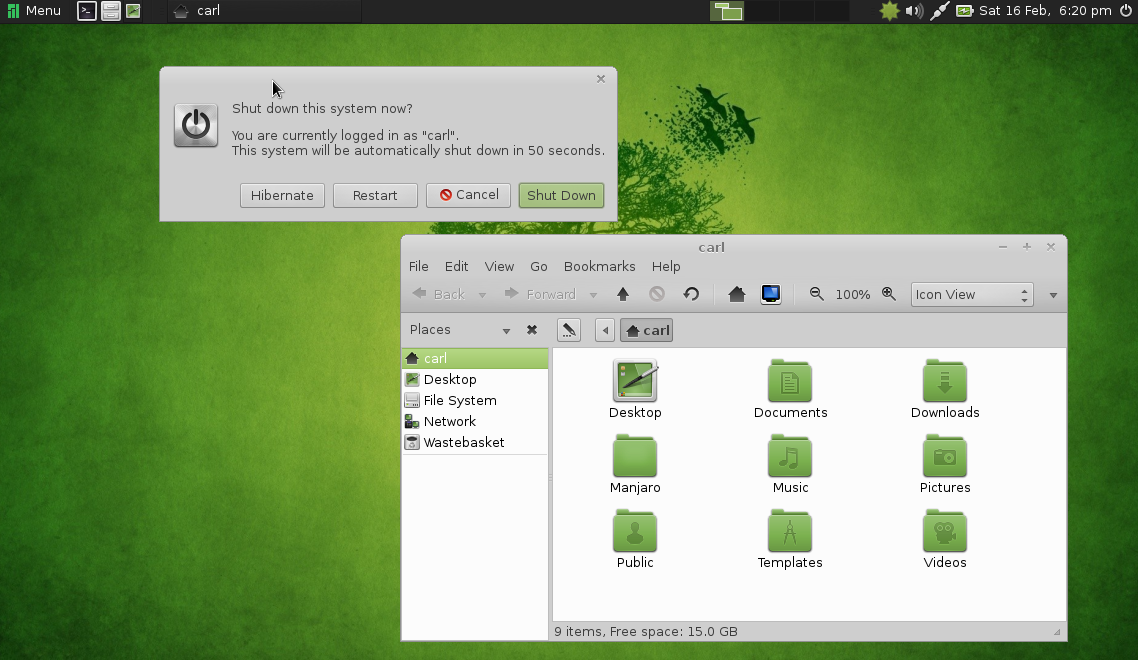
Still in beta, from the house of Arch, Manjaro ives you rolling release with a wide choices of desktop environments. I suggest MATE desktop, which is both modern and traditional simultaneously. Manjaro comes with out of the box multimedia support and good hardware driver support. Only downside is, it needs bit powerful hardware.

Get your copy at: http://manjaro.org

5. Bodhi

”Enlightenment” comes here. You need 128MB RAM to run this distro. I won't say it has all tools you need, but it will meet your expectation. The lightweight UI looks so polished and you can fool your friends that yours is a latest PC with a latest OS ;-)

You can negate your bad karma here: http://www.bodhilinux.com/

Wednesday, February 26, 2014

Top 10 Distros

Well, I have been using Free Software based distributions from 2004 (that was when I got my first own PC). I have come across many distributions. Now, I will share 10 of the best distributions I recommend people and their target audience. The list is sort of a count-down. So let us start with 10.

10. PC-BSD

BSD is not Linux. It is a UNIX clone too. Its file system, partition management, working differs greatly from Linux based distros. But this is a very solid platform and provides a secure and robust system suitable for servers and research and development labs. If you are freaky enough, you can try to install it as a dual booting system along with a GNU/Linux system.

9. Puppy Linux

Do you have a very old PC? Or have you managed to assemble a PC from junkyard? Here is a distro that can fire it up to life. Puppy Linux requires very less memory and other requirements. Of course it lacks fancy GUI and powerful tools like office applications. But it works like charm in very old hardware. Puppy is derived from Ubuntu.

8. Lubuntu

This LXDE flavor of Ubuntu is Puppy Linux for bit newer hardware. Also this packs good driver support and adds option to install latest and greatest packages. So if you have a 10 years old PC and want it to perform fast like a new one, Lubuntu is for you.

7. Gentoo

For those who doubt pre-compiled binaries in repositories, Gentoo is the answer. If you have enough time and powerful hardware, you can do the entire compilation of your GNU/Linux system right on your machine. You may find the installation bit tough. But it is rewarding. You never need to upgrade the system. You only need to update it. This is called rolling release. Compared to Fedora in which you need to upgrade frequently, this is relatively simple. Suitable for BASHers. So install once and forget how to install. You can still complain that the stage-3 tarballs are tainted by NSA ;-)

6. Arch Linux

This is the one for those who are not afraid of command line interface. You have to set up this distro by executing commands. No GUI based installation.This is much like Gentoo minus compilation. Arch is awesome and has a very good community to support. If you search for generic Linux issues, Arch wiki is where you land.

5. Ubuntu/Linux Mint

These are derivatives of Debian. Mint comes with Mate desktop environment for those who hate GNOME 3 and Ubuntu comes with Unity interface. These distros ship with lot of proprietary drivers. The reason I recommend them is because they are suitable for lazy people who just want everything working out of the box. Especially if you have laptops with locked hardware, this will work out in most cases. But the better suggestion is to choose a more open hardware and go for a better distribution.

4. CentOS

CentOS is community supported clone of RedHat Linux. This is one of the most stable and well tested distro. But it lags a lot in terms of package versions. For example, current version of CentOS (as of 26th Feb, 2014) ships with 2.6.x kernel, while a uname -r in my machine spat out 3.13.3. But this has its own plus. All packages are well tested. Almost all bugs fixed and most drivers for bit older hardware are readily available. This makes it suitable for servers and workstations. Also this distro as of now lacks fancy desktop environments. So it uses less resources and perform well.

3. OpenSUSE

OpenSUSE is community edition of SUSE from Novell. Made in Germany. IT has good driver support and an active community to help you out. If you can switch to Tumbleweed channel, you can get a taste of rolling release like that of Arch. Yast makes the system management easy. So this is the distro suitable for home PCs with good hardware configurations. It ships with awesome desktop environments like KDE 4 and GNOME 3. Everything you need in one place!

2. Fedora

This the future version of Red Hat. What is today Fedora will become Red Hat one day. It is one of the most bleeding edge distro. This makes it a bit hard to use for people with proprietary hardware. As the kernel and other stuffs are constantly updated, it may impact the system sometimes. Mostly the stable releases won't have any problem. But don't ask me about why x or y is not working after an update. This is suitable for power users with good open hardware (without proprietary graphic cards, wi-fi chips, web cams etc).

1. BLAG/Dragora/Dynebolic/gNewSense/Musix/Parabola/Trisquel

These are all Free Software Foundation (FSF)  approved distros. They may lack some drivers, no flash,  they can't play mp3s. These are not so fancy and these are not meant for kids playing flash games or adults watching porn. But if you care about freedom, these are the distributions you should run. Especially gNewSense is the distribution that Dr. Richard Stallman himself runs. You can find more information about these distributions at http://www.gnu.org/distros/free-distros.html