Showing posts with label Windows. Show all posts

Sunday, July 26, 2015

Media Players for GNU/Linux

People often think that GNU/Linux lack support for video/audio playback. With Distros like Linux Mint having out of the box support for most video/audio formats and almost all Android phones work seamlessly with almost all media types, it is still a common myth that GNU/Linux won't play MP3 or MP4. So I am just listing few media players that can do the job for you.

VLC


Surprisingly many people running Microsoft Windows use VLC doesn't know that it is part of Free Software. But VLC (Video LAN Client) is the most widely used media player among Windows users. It plays everything from FLV to FLAC told one of my friend who runs Windows and a Microsoft fanboy. He challenged me to show an equivalent or alternate for VLC in GNU/Linux. When he visited my house next time, I showed him my PC having the same VLC (latest version). So VLC is one of the most commonly used media player that GNU/Linux users can make use of.

Link: https://www.videolan.org/vlc/

Kaffeine

Kaffeine is a very good media player that has a whole set of features to give you a full fledged media center experience. It is a KDE based player (you can still run it in other DEs.) It has support for scrambled and copy protected DVDs (you may need libdvdcss) and it is easy to use too. It is the default player for most of my DVD viewings.

Link: http://sourceforge.net/projects/kaffeine/

SMPlayer

This humble yet powerful player is not known outside the GNU/Linux world much. But if someone tries SMPlayer, they will make it as their default player for sure. It has very nice sound output and it has lot of settings that will allow you to tweak every aspect of your audio/video. The excellent keyboard shortcuts will come handy while watching videos. I am so addicted to the shortcut configurations of this player as I wonder how other players got them so wrong.

Link: http://smplayer.sourceforge.net/

So, if you are running GNU/Linux, just search for these packages in your software repositories. Sometimes you may need to add some other sources or to build from source (that is not the case usually as all major distributions have these media players in their repositories). Please share about your favorite media players in GNU/Linux systems in the comment section.

Note: Personally I strongly suggest you to stay away from non-free media formats. For list of clean and free media formats check the below link.


Link: https://www.defectivebydesign.org/so_youve_got_some_questions_do_you#formats

Saturday, April 5, 2014

What Recent Changes in Microsoft Mean?

What do the following statements mean?

  • Microsoft to give Windows OS free to Indian Phone Manufacturers

  • Microsoft to give Windows OS free for phones and small tablets

  • Microsoft to give Windows OS free for laptop OEMs

  • Microsoft to give Windows OS for "Internet of Things" for free

  • Microsoft open sources large portion of .NET

Let me share my opinions on each of the above statements here.

Note: People are so confused with the terms free software, open source and freeware. If you are one such person, please read this post for clarity!

Microsoft to give Windows OS free to Indian Phone Manufacturers

Microsoft wanted some Indian phone manufacturers to make cheap Windows mobiles so that they can compete in low-end market. But who will be able to pay around Rs. 1,200 extra for every phone to get the license of the OS when a costless alternative is available? This is the reason Google made Android available for free of cost. As Android is free of cost, most phone manufacturers adapted it to their phones and now Android is the clear market leader. Now Goolgle is earning through ads, app purchases, by selling songs/books/movies etc.

Windows thought that the same tactic that worked on PCs of desktop era will also work on mobiles of smartphone era. But their market share was (and is) so pathetic that at one point they earned more from Android phones than Windows phones. Very few people are developing Windows phone apps. People in developing nations are buying cheaper alternatives. So they tried their best to push their OS to the world's second largest developing market with their Microsoft tax. But the Indian companies rejected Microsoft's offer until they were down on their knees and accepted to give the OS without licensing fee. The funniest part is, even Nokia can't get Windows for free. Why Microsoft did this? Are the Indian companies so clever to bargain and strike such deal? I think no! The Indian companies are the reality that every other company is going to end with. With increasing demand for higher hardware specs in a lower price range, sooner or later, companies should let go the unwanted load of paying for OS. So, it is much like Indian companies telling Microsoft what reality is and Microsoft accepting it without any other option left!

Microsoft to give Windows OS free for phones and small tablets

The previous happened by February/March 2014. As noted, all companies, no matter how big they are will follow the Indian manufacturers in opting for a free of cost operating system to cut cost and stay competitive in the market. So Microsoft can't tax every phone produced and expect their market share to grow or even sustain. It is just Microsoft realizing the truth again. But here is a catch. Microsoft will charge tablets with screens larger than 9 inches. So, it is much like, they will give the OS for free to smaller devices and increase their market share and bring more people to develop their apps, while on the other side, they will gradually start charging license fee. Once a market monopoly is attained (that will never happen!), they will charge the fee in full swing and from everyone. Remember, they are giving it for free of cost, but the source is still closed. So for everything like updates/upgrades/bug-fixes/optimization/customization etc, the companies need to depend upon Microsoft as the code is not open.

Microsoft to give Windows OS free for laptop OEMs

Now Microsoft is also considering a free of cost version of Windows for laptops so that laptop manufacturers can bundle them without paying the fee. Again, this is a honey trap to trick many users to buy laptops running crippled version of Windows. If they want a better version, they should pay. They may restrict the number of applications that can run at same time.They may not provide options to do critical administrative tasks in Control Panel etc. And if a user wants that, Microsoft will ask them to pay for a professional or ultimate edition.

Microsoft to give Windows OS for "Internet of Things" for free

Nobody can imagine an OS that runs on every electronic/electrical equipment around you as a paid software. If you have to buy a bulb or coffee maker running Windows (or any other OS that has license fee) the cost will be doubled or tripled or quadrupled due to the cost of license fee. So a paid OS for Internet of Things will never work. If that is the case, the manufacturers will come up with their own Linux based or BSD based or home grown solutions. And mark my word, the Internet of Things OS will most probably be open sourced. Unless it is open sourced it can't be modified and adapted to everything around you from your bike to bulb and your AC to mosquito repellent. Only exception will be Apple, who will still insist that their hardware and software are unique and that will drive the last nail on their coffin.

Microsoft open sources large portion of .NET

Microsoft has open sourced lot of .NET projects under an unbrella .NET Foundation. Mostly they will be released under Apache 2.0 license which is FSF approved and GPL v3 compatible. So this from the same company that called Linux a cancer and took extreme measures like secure boot to lock laptops and not allowing users to install other operating systems. Why? I think the major reason is, they can't maintain the crappy code their highly paid and poorly skilled developers are making. So they are releasing the code to public so that they can just oversee the activities while hobby programmers and others like college students, freelance programmers etc can take up review, bug reporting, fixing and enhancements. So I feel the motive behind open sourcing too is selfishness. Let us see how things unfold in the long run.

Conclusion:

Microsoft, like Apple and Google is a corporate that tries to become a monopoly in digital world. Apple and Google are also known to release some software code as open source but still their activities prove time and again that their intention is to keep people without any real freedom. Android, Chrome, Darwin, Webkit etc are open sourced not to benefit the public. There are two reasons. Either these software are lifted from existing open source software or their nature itself forces the source to released, without which, development/maintenance becomes costly and problematic. Now Microsoft has joined them. It may be the new CEO or the dying industry! They have taken a 180 degree turn. But the real freedom loving people should try their best to ignore these gimmicks and go ahead with truly free (as in freedom) and open software.

References:

http://www.theregister.co.uk/2001/06/02/ballmer_linux_is_a_cancer/

http://www.zdnet.com/blog/open-source/microsoft-to-stop-linux-older-windows-from-running-on-windows-8-pcs/9589

http://wind8apps.com/windows-free-phones-small-tablets-iot-devices/

http://www.zdnet.com/microsoft-open-sources-more-of-its-net-technologies-7000028031/

http://timesofindia.indiatimes.com/tech/tech-news/Microsoft-offers-Windows-Phone-OS-free-to-Indian-players/articleshow/31924651.cms

http://www.osnews.com/story/24800/Microsoft_Earns_More_from_Android_than_Windows_Phone_7

http://techcrunch.com/2014/04/03/microsoft-launches-net-foundation-to-foster-the-net-open-source-ecosystem/

http://searchengineland.com/battle-for-books-evil-google-versus-the-altruistic-open-content-alliance-10115

Wednesday, March 19, 2014

Operation Windigo - The New *NIX Security Threat

In a previous post, we have seen that free operating systems are relatively safer than Windows or OSX based systems. But still, there are sporadic incidents of malrware/trojans/security vulnerability happening. After NSA revelations, the free software codes are reviewed strictly and lot of overlooked vulnerabilities are surfacing as in the case of GnuTLS (but it seems not many are actually affected due to it). Now security researchers have revealed that a widespread attempt is made to infect Linux/Unix servers.

This attack so far is targeted ONLY towards servers. But this is a crucial lesson for us to learn that, just running GNU/Linux or BSD or any other OS makes you secure by default. To be secure, you must spend time to make your system secure. At least install ClamAV immediately if you have not installed it already. Anyway, let us see how this Operation Windigo works.
ClamTK in action

Operation Windigo uses several different malwares to infect servers and hence they try to earn money by sending spams and redirect users to ad sites or making users to download trojans for further infection.

The following are the list of malwares and their role/behaviour involved in the operation.

Ebury is used to create a backdoor (illegal entry to your machine without your notice). It can also steal your SSH password.

Cdorked is also a backdoor provider. But it can also make end users to download malicious files.

Onimiki is used to redirect users to different IPs for a given URL pattern.

Calfb is a Perl based spam engine. It can send spam mails with malicious links to users.

Boaxxe.G and Glubeta.M are the files sent to Windows users so that their machines can be infected for causing further damage.

To quickly check if you are infected, open a terminal window and type the following.

$ ssh -G 2>&1 | grep -e illegal -e unknown

ssh -G showing "unkown option" in Fedora

If there is an output, you are safe. If blank, you may be infected! To dig further, follow below steps.

$ su

Enter your password

# ipc -m

If you see any process attached to any user with full read/write permission for all users (666) and size greater than 3MB, it is a strong indicator of infection Ebury infection.

The above commands check for Ebury. The other malwares and their checking are not suitable for home users. As told earlier, chances are very slim to have this infection in your PC/laptop as the target is mainly servers. So far 25000 servers are compromised. That is very less compared to billions of infected Windows machines.

References:

1. http://www.welivesecurity.com/2014/03/18/operation-windigo-the-vivisection-of-a-large-linux-server-side-credential-stealing-malware-campaign/

2. https://github.com/eset/malware-ioc/commit/b4c4a6d8a67b22693d04092b5962875b6d0fabeb

3. http://www.clamav.net/lang/en/


Tuesday, March 18, 2014

How to Download An Entire Website?

Sometimes, we like to have an entire site or part of it archived in our disk so that we can read it even without Internet connection. But how to do it? Here are two easy to use tools that does the trick.

1. wget:

"wget" is a simple yet powerful command line tool. As usual it is a free software that respects your freedom as well as gives you the freedom to read a site even without a working Internet connection. This tool is available by default in almost all GNU/Linux distributions. It has lot of options. You can use it to download a single file or a web page. You can also download recursively, i.e. a page and all the links in that page. You can choose to download pictures, style sheets, JavaScript files. You can choose the domains from which the files can be downloaded (by this, you can skip unwanted ads getting downloaded).

I am giving here a sample of wget script using which you can download this site.

wget --recursive --timestamping --span-hosts --page-requisites --adjust-extension --convert-links --domains=blogspot.in,bp.blogspot.com --no-parent techmusicnmore.blogspot.in

Let us see the options one by one

--recursive

This tells wget to download a page and all the links in the page recursively. Us it with caution as some sites have many levels of links and you may end up downloading lot of data. You may need to specify the depth using --level=n option to restrict downloads after a 'n' layers of depth.

--timestamping

This is a clever option that downloads a file only if a newer version is available. For example, if you have downloaded a site already or canceled it in between, then you can restart it without worrying about wasting your bandwidth to re-download all the files. This option will make wget to download only non-existing files and re-download only outdated files.

--span-hosts

This tell that wget to look in to other servers if needed. As our blog's images are stored in other domain(s), we need to give this option. But be informed that this may cause you to download the entire Internet!!! So you can restrict the domains by white-listing them using --domains option or black-listing them using --exclude-domains option.

--domains=server1,server2

As discussed in previous option, this option is used to restrict the downloads to just the domains specified in the comma separated list.

--page-requisites

This option is to download all the artifacts required to display a page properly. That is to download images, scripts, css etc.

--adjust-extension

This option cleverly converts the file extensions of pages to html if they are not so by default. Some sites will have other namings like .jsp or .gsp. In such cases too, the files will be converted to .htm(l) extension.

--convert-links

This option is used to convert all the links in the pages to point to local location. Without this, all pages will be downloaded. But the links will still point to the actual website.

--no-parent

To tell wget that it should download ONLY the links/files below the given URL. It will not allow the parents of current link to be downloaded. For example, you have a web page with links to all articles written by a particular author. If you use wget without this option, then all the pages including home page, about us etc will be downloaded. With this option, only the pages written by that author will be downloaded.

wget in action; downloading this blog ;-)

These are not the only way to do the things. You can do lot of things with wget. There are some websites which will prevent automatic downloads like this. You can cheat them by acting like a real user by hitting the server with some time intervals and masquerading that the requests are from real browser.  For that you may need to go through the manual. The link is given below.

wget manual: https://www.gnu.org/software/wget/manual/wget.html

2. Httrack

If you are not running GNU/Linux, my first advice is to switch your OS. If you can't or you need a GUI based alternate to wget even in GNU/Linux, here is Httrack. This has all the options as in wget and lot more. But it has some other options that wget doesn't. That is mainly because, wget is developed for general reasons, while Httrack is specifically developed for website archiving and crawling. So it has a slight edge over wget.

This awesome tool is available for Windows, OSX, Android and of course GNU/Linux and BSD platforms. It is a free software released under GPLv3. So have no guilt in using it. If you are a GNU/Linux user, then download the source package using wget and compile it locally for extra fun!

You can get Httrack from here: http://www.httrack.com/
Httrack for Android: https://play.google.com/store/apps/details?id=com.httrack.android
Httrack manual: http://www.httrack.com/html/index.html

Sunday, March 9, 2014

Why You Don't Need an App for Everything - 10 Reasons

We need the so called "apps" in order to get the maximum out of the hardware of our phones. For example, without apps, how can we take photos or use the magnetic compass or flash-light? Apart from these hardware specific tasks, I think we don't need apps for things we can easily do with a good browser. I am not against necessary apps. But some people start to install every possible app out there. Is that the right way to go?

1. They eat up your memory
 
Apps usually eat up lot of memory in your mobile. Especially if you have a low end mobile, memory dedicated for apps will be lesser (< 300MB). Every app will occupy around 5 to 10MB and some even take up to 25MB (these are normal apps, not those games with fancy graphics and sound effects). Also with time, they store data as cache. This will result in low free memory in your phone which may cause it to slow down, crash often or behave in unexpected ways. Some "clever" people say they can move the apps to SD card. That too is not a good option. SD card apps are relatively slower and when you change your SD card or the SD card becomes corrupted, those apps are lost.

2. They consume your RAM

Apps are started and stopped by Android automatically. So when you reboot your phone, even without opening any app, many apps will be up and running. They occupy more RAM and when you open a message or contact book, those apps will be closed by Android to free some RAM for the app you are accessing. So, it too slows your phone down. Some people claim Android is smart enough to handle tasks. But those who use their phone with good amount of apps know what I am saying. Some "smart" people use task-killers to kill those tasks. But again, in few minutes those same apps will be started. There is no sure way to ensure that particular app is not started automatically than to uninstall it.

3. They suck your network bandwidth up

As mentioned in above point, apps automatically start and also start to consume your Internet connection. Some apps will be synchronizing, some may be downloading ads, others may be busy checking whether a latest version is available while some "great" apps are sending your private information to their servers. There are apps that upload your SMS, contacts, emails and even whatever you type etc to their servers. All these take a good amount of network bandwidth and you may run out of free data soon. Some "brainy" people try to circumvent this by going for "unlimited" data plans. Even then there will be a limit after which the connection speed will be throttled. Also when all these apps are chocking your network in background, you may wonder why that small email is taking so much time to be sent or why your browser is taking too long to show that your IRCTC ticket is not booked.

4. They drain your battery

As mentioned in points 2 and 3, these apps start and connect to Internet automatically. So they consume lot of power. They cause phones to heat up and you may not be able to call someone or listen to music as these apps had already sucked the last drop of power out of your battery. Some people come up with some "tricks" to sort this out. That is by installing an app to improve battery life. What an idea sirji! Some say they are not bothered as they always carry the charger with them. I think they also carry a generator with them or their charger is solar powered!

5. Slows down your phone

Due to insufficient internal memory, processor load, insufficient RAM, clogged network etc, your phone may slow down to unusable levels. One of my friend came to me saying that his phone's touch-screen was not working. I checked it. Actually the touch-screen was working fine, but due to overload, the response was slow. I uninstalled few bloatwares, and it started to work normally again.

6. Threat to your privacy

Most people won't give a damn about what all the permissions the app asks before installing. And Android's innovative design makes it impossible to restrict access to SD card or Internet at app level. There are some options like Droidwall to restrict the app's access to Internet, but still, it is is bit tough if the app demands that an Internet connection is needed to proceed and our people will set that app as exception permanently to avoid "hassles". There apps like Truecaller which uploads entire contact book with photos, pet name, and other details to Internet. I know people who store their PAN number, Bank account number, ATM PIN number etc in their contact book. Imagine what will happen if these details are uploaded to someone somewhere! I have recently seen some apps that require permission to send/receive SMS but they are actually meant to be live wallpaper.

7. They distract you a lot

These apps annoy you a lot by giving unwanted notifications. You may be awaiting an SMS from your bank stating your "one time password" for a credit card transaction or you may be in a meeting. "beeeep" There is a notification saying that some has invited you to play a stupid online game. To take it to the next level, some apps give alerts/notifications/reminders to rate their app in Playstore, purchase unlocked version or to try their new app. All these things distract you and waste your time for no good.

8. They have misleading ads

Yes, ads are there in websites too. But why I am mentioning it here as a specific problem in using apps? The ads in apps are displayed like buttons or links in the app itself. This misleads the user and make them click on them. Once clicked, you are taken to malicious websites/apps. Moreover, there are some apps which are meant to be used by kids, but contain ads suitable for adults.

9. They are hard to maintain

These apps are hard to find, install, keep updated and to use. For example, if you want to book flight tickets, then you have many apps to do that. How to tell which one suits your needs? Are you going to install every app and use them to find out? In case of websites, it is easy to just hit the URL and try it and move to other. Similarly, if you have many apps installed, you need to keep them updated. That costs you lot of data and also battery power. It can be time consuming at times. Also, if your home screen and app-drawer are crowded with these apps, it is hard to spot the app  you need. Yes, we can use the built-in search to spot the app, but still, it is not that easy right?

10. Most apps are unethical

Most apps are so called proprietary software or "closed-source". So, even if you want an app, please look in the F-Droid repo for a free software alternate. Don't use apps that don't respect your privacy or freedom. Don't feel proud about yourself that you have purchased an app and that is going to support the developer of that app. No! The developer only gets a fraction of the money you paid unless you directly pay the developer and get the app in some other way other than from the Playstore or App store. So these apps also cheat developers. So which developer will allow themselves to be cheated? Those who want to cheat others in some other ways right?

Points to Note:

So, as you can see, don't buy in to the apps argument and install any "crapp" unless and until you are sure that there is no other good way to do it and sure that the app is legitimate and respects your privacy and freedom.

1. Check for website alternates and use a good mobile browser like Firefox to access the site directly instead of using apps

2. Check the apps' developer and ensure that it is from a legitimate source. For example, you can find apps with same/similar names but from different developers (some apps are just repacked malwares)

3. Don't install .apk files shared in forums/sites/bluetooth etc. Download them from F-Droid or Playstore alone

4. Check the apps permission before you install. If the app asks unwanted permissions or if you feel suspicious about the permissions, don't install it, even if it seems a must have. Security first. Rest later!

5. Read reviews about the app both in the repository as well as in tech-sites. Now-a-days paid reviews are very common and there are companies that offer services to boost your Playstore ratings/reviews. So you should be able to differentiate between genuine and bogus reviews.

6. Periodically check and uninstall apps you no longer use.

7. Disable Internet connection while using apps that have ads.

Conclusion:

Apps are waste of time for users and waste of money for companies developing them. If you are a business looking for app development, my advice is, don't go for it. Are you going to build an app for every platform out there? (Android, iOS, Windows, Symbian, Ubuntu etc) It will cost you more to develop, bug-fix and make changes in apps for multiple platforms than to develop and maintain a good mobile site. If you are a developer, please advise the same to your clients who come to you for developing an app.

Sooner or later, everyone is going to realize that apps are not the solution for everything. So you better realize it now.

Related Sites:

Saturday, March 1, 2014

5 Resons to Use a Free Operationg System


1. Freedom and Free of Cost

With Free Software, you get freedom. That is what the "Free" in Free Software means. But for our people, who are brainwashed by corporate media, free also means for no cost. The good news is, most free operating systems also come for free of cost too. Don't come with vile excuses like you have a pirated copy of Windows or you got it bundled with your machine. Former is silly and later is stupid. It is silly to steal a product when a better product is available freely and it is stupid to claim that you got Windows free of cost with your machine, while you have paid for it through "Microsoft tax". Also you can be sure that no NSA agent is offered a backdoor in your machine. If you doubt it, look in to the source for yourself!

2. Secure

Free operating systems like GNU/Linux and BSD are more secure. There are only few know viruses exist for these platforms and they are also controlled currently. Unless you are foolish enough to reveal your password or keep a password that can be easily guessed or fooled to install a malware, you are almost safe. Even though I will suggest you to have a Free Software anti-virus program like Clam-AV to prevent propagating virus unknowingly to other platforms and any new threat.

3. All in One

When you install Windows, you have to install all drivers and other software separately. And some of them are costly too. It is time consuming to keep all of the installed software up to date. You have to check the software's website regularly and download the latest version and install them. With the software repository concept, (which was there as far back as I remember) Free operating systems allow you to install and maintain all software in one place. Also you can find free software alternate for almost all tools you like. When a new version of your favorite browser or media player is released, your system update itself will update them too. Isn't that easy?

4. Choice of UI

Don't like the Aero UI? You can switch to the Classic UI. Or you can console yourself by changing the color themes. These are the few options available with Windows. With the Free operating systems, you can have wide varieties like GNOME, KDE, MATE, Xfce, LXDE, Enlightenment, Cinnamon and I can't list them all here! You have that many choices. You can install whatever you want or you can install multiple desktop environments in a single system and switch between them in login screen. You can choose not to install any UI and use in CLI mode. This will suit servers and workstation for hardcore geeks like Torvalds or Stallman.

5. No Fragmentation

If you have used Windows for a good amount of time, then you should have noticed that the system slows with time. Why? This is due to file fragmentation. That is, files are stored scattered along the disk and the hard disk head has to move back and forth to read a sequence of data, say an audio or video file. This will also reduce the life of your hard disk. Windows comes with a defragmentor tool. But that too has lot of limitation. But free operating systems come with cutting edge journaled file systems which don't fragment with time. Even if they do very rarely, you can just copy the files to some other partition and copy them back. But I have never came across such situation.

Thursday, February 27, 2014

Time to Change

Windows XP's support is going to end this April. So if you are running Windows XP, it is time to go free. Free as in freedom. Here is a list of OS you can choose to get rid of the buggy, insecure XP platform.

1. aLinux


You won't feel that you have changed your OS apart from performance improvemnts, being virus free and less buggy. aLinux comes with KDE 3.5, Koffice(MS office replacement), GIMP(like Photoshop), mp3/divx/flash support, Clam-AV antivirus etc.

Get yours at http://alinux.tv

2. Lubuntu

So, this distro's look and feel is much like XP. It consumes less resources and feels great on old hardware. It comes with Abi Word, MTPaint, Xfburn (cd/dvd burning), Sylpheed (like Outlook). With 256 MB RAM, you get a perfectly working system.

More info: http://lubuntu.net

3. PC-BSD with Xfce

Ok, it may be boaring with too much Linux. Say hi to BSD with PC-BSD. Xfce gives you a classic XP like interface. AppCafe gives easy access for all packages you need and you will love its clean UI.

Check this out: http://www.pcbsd.org

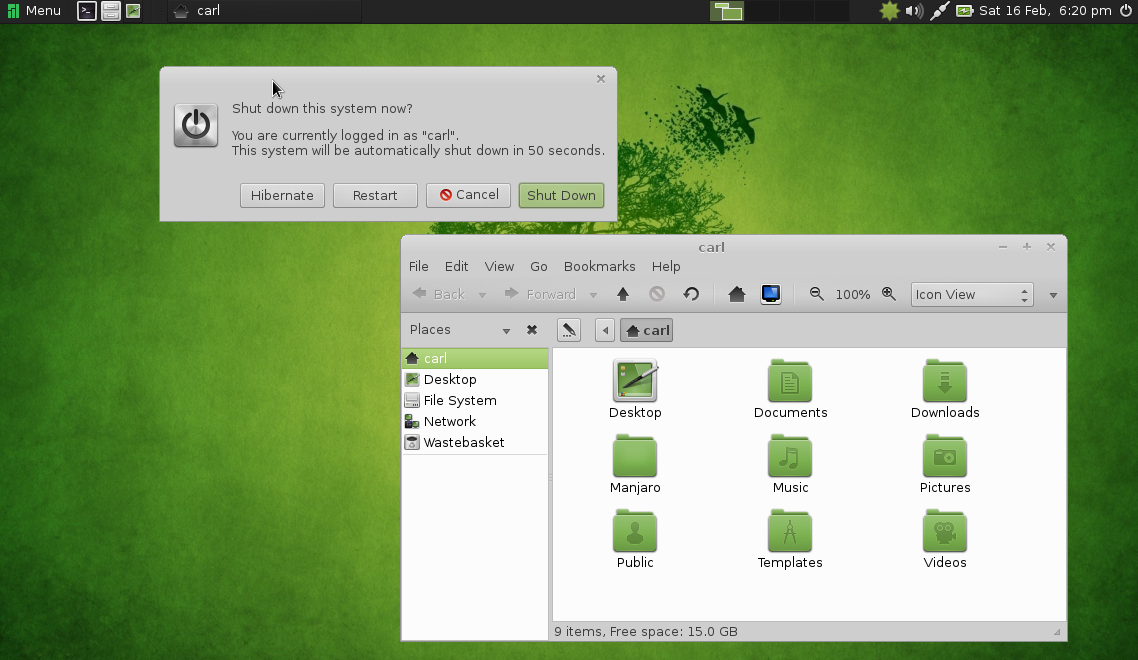
4. Manjaro

Still in beta, from the house of Arch, Manjaro ives you rolling release with a wide choices of desktop environments. I suggest MATE desktop, which is both modern and traditional simultaneously. Manjaro comes with out of the box multimedia support and good hardware driver support. Only downside is, it needs bit powerful hardware.

Get your copy at: http://manjaro.org

5. Bodhi

”Enlightenment” comes here. You need 128MB RAM to run this distro. I won't say it has all tools you need, but it will meet your expectation. The lightweight UI looks so polished and you can fool your friends that yours is a latest PC with a latest OS ;-)

You can negate your bad karma here: http://www.bodhilinux.com/