Showing posts with label Tips. Show all posts

Thursday, October 5, 2017

Problem With TrueCaller and Similar Apps

There are lot of so called caller identification apps that will put a name for an unknown number calling your cellphone. But the ugly truth behind this is usually overlooked. People just don't understand that just by installing these stealthy apps, they are breaching privacy of others and also putting themselves and others in risk. Let me explain few of the possible scenarios and a possible solution for handling apps like this.

1. Person A gives his number to Person B so that they can stay in touch (may be for business or personal needs). Person C asks Person B for Person A's mobile number.

In usual case, Person B will politely refuse to share Person A's number. In some cases Person B will call Person A to get his consent to give his number to Person C.

But in TrueCaller's case, the entire contact list of Person B is uploaded to TrueCaller's server WITHOUT getting the consent of anyone in the list.

2. Person A stores some sensitive information like credit card numbers and PIN numbers as contacts. (It is stupid, but people always do that right?)

In usual case, Person A puts his credit card at risk in case someone snatches his phone or hacks in to his phone.

But with TrueCaller, the numbers are uploaded to the third-party server by default. They may claim that their system will filter out numbers that are not phone numbers. But who is going to audit it?

3. Person A stores his brother's/girlfriend's/son's/mom's number with their pet-name.

In usual case, this can be seen only by few (if they are staring in to Person A's phone when their dear one is calling.

With TrueCaller, the contact is uploaded and anyone who receives a call from the number may get the pet/nick name of the person. Similarly, some people store relationships like "Person A's Mom", "Person B's Wife" etc in their phone. With whose consent these sensitive information are shared with anyone on the Internet?

4. A womanizer or a scammer can browse the TrueCaller database with random numbers and get the names. Sometimes information like the company they work for or the college they study are also included with the contact name. With this, they can call the person and start a conversation like "Hey, Rajesh, how are you? I studied MSc with you..."

Above mentioned are not the only problems you can have. There are lot more possibilities that we can never figure out! The main problem with TrueCaller and such apps are this. My (or your) mobile number, name and often, other sensitive information are uploaded to the server of a private third-party's server without my (or your) consent just because some asshole who stored your number in his contact list installed a stupid app to say him who is calling from an unknown number.

To avoid the above mentioned problems and to ensure that everyone's privacy is respected, these apps should first get the consent of the users before they store their data in their servers and make them accessible to the public. If someone who has your contact uploads their entire contact list to these thrid-parties, they should send an SMS or make an automated voice call to get your consent before even storing your data in their servers. Unless this is done, these apps remain as a serious privacy and security threat to the public.

If you want to protect yourselves and your family and friends from these rouge apps, follow the below steps.

1. Uninstall these rouge apps if you have them installed
2. If these rouge apps come pre-installed with your phone, then disable them before you start using the phone.
3. Go to their sites and unlist your numbers.
4. Tell about the dangers to your friends and family and ask them to do the above steps.
5. Give feedback to developers of these unethical apps. Give them poor rating. File complaints against them in appropriate forums.

Tuesday, June 21, 2016

Amateur Finance Tips

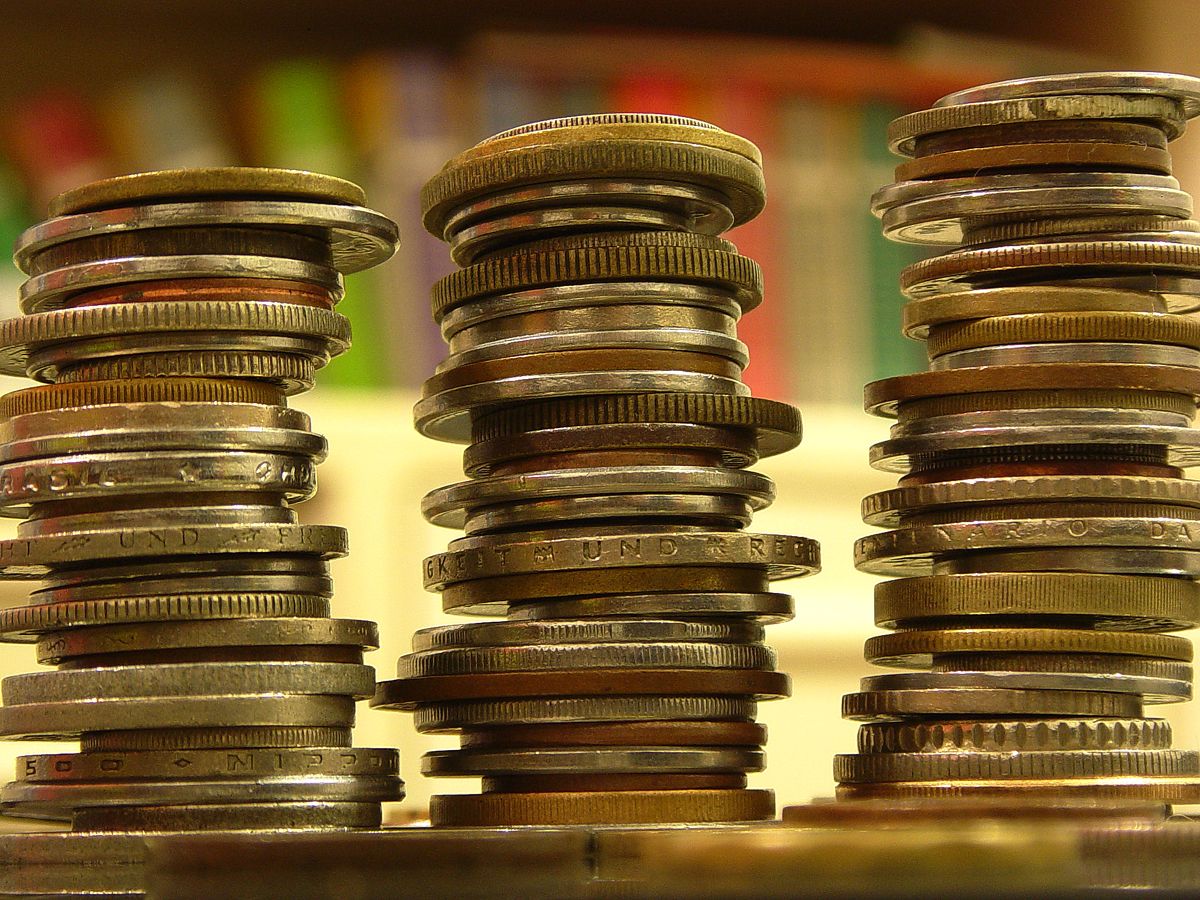
The following tips are from my own personal experience and may not be suitable for everyone. But still I am sharing this so that people who are in their early years of their careers can benefit.
Image Credit: Wikimedia
1. Don't save what remains after your expenses. But first plan your savings and then plan your expenses according to what is remaining.

2. Three things you MUST have: Health insurance that covers the entire family, life insurance for self and non-earning members (other earning members should take it on their own), cash in form of fixed deposits/savings account (this should be at least 30 to 50% of your annual income)

3. Never lend money for interest. Getting interest on money from banks and other such legal means in not "sin". But lending money for interest may cause innumerable problems. Also don't get enticed by pyramid schemes, wealth accumulation schemes, chit funds etc. They are risky and probability is high that you may lose money.

4. If you want to help a friend or relative in need, you can gift/lend money without interest. But make sure that you are not giving more than 10% (in terms of gift) or 20% (in terms of interest free lending) of your monthly income. You should not worry if the money doesn't come back in case of lending. That is why an upper limit is always advisable.

5. Don't invest too much in one sort of investments. Some people buy too much land, some stack gold coins and others blindly invest on shares. Take a balanced approach.

6. Never buy car/bike on loan. In early years of your job, you should try to cut expenses like this so that you can climb out of your educational loan and other such financial problems easily.

7. Never buy apartments on loan (or even with down payment). Instead wait for sometime, buy a land in your native or some nearby village, after 10 to 15 years of earning, build a good house with minimal or no loan. This will reduce your dependence on market forces and stress of loan pursuing you rest of the life.

8. Don't have any sort of addiction. Addictions apart from having detrimental effect on health also have same effect on your earnings. Spending 10,000 on a weekend booze is not acceptable even for a person who earns 1,00,000 a  month!

9. It is OK to be religious/spiritual. But watch out! God doesn't need your money. Especially in terms of rituals/tithing/donation etc. If you are compelled to help others for love of God, then do it in person yourself. Why give money to others?

10. Never go for EMIs (especially for smartphones, gadgets or for anything other than building a house, education and medical care. If you can't afford anything through down payment, then the time has not yet come for you to own it!

Finally, never try to cheat others in money matters. It may be one or two rupees in that corner shop. Or it may be a minor error in your income tax calculation. Never overlook these. Be watchful and keep your accounts clean. By this, you will also have the habit of checking your incoming account keenly. It will help you to check unnoticed loss of money.

If you have more points, please add them in comments! Thanks for reading!

Tuesday, December 29, 2015

Testing The Waters

There are two things currently trending in social media. Beep song and Sagayam for CM. Thanks for our short-term memories that we have already moved away from recent floods, let alone protest against liquor. In my understanding, these two incidents seems to be testing the waters before a full fledged public "coming out". It is safer for the parties involved.

The song was written, sung, recorded with music and vulgar words beeped-out. Perfectly ready for posting in Youtube or Soundcloud. Then suddenly someone "leaked" it. If the public reaction was positive, then we might have seen people claiming that "Simbu alone didn't do the song." "It is my music." "My recording theater!" etc. But as the reaction is negative everyone else had forsaken Simbu to fight the legal battles alone and face the angry crowd of people. But as the song is not "published" in proper sense, Simbu can claim that the song is "leaked" without his knowledge and it is none of his fault. Perfect example for the benefit of "testing the water"!

Now take the another case: Sagayam for CM. He may be a good IAS officer. And the idea of Sagaym for CM is not that bad. But the way this idea is brought to public is what strikes a nerve for me. Sagayam can resign his post and start a political party or join any existing party if he wants to run for CM. Else he can just openly give a statement that he is not interested in politics and no one should use his name in that way in social media or public gatherings. But his "silence" is deafening as he just sits like it is somebody else's problem. If there is enough support, he may come out as a candidate in coming elections. Else he may just downplay this entire episode as a social media sensation created by some over enthusiastic fans. A Goundamani comedy scene comes to mind!

Even Dr. Kalam tried his hand at this trick, when he said that he was willing to be the president for second term if there is "certainty".  (http://www.hindustantimes.com/delhi/kalam-surprises-third-front/story-YxWB2XRUrveu8aCHigxvBJ.html)

So the lesson for us is, if this method works even for public figures, why not we utilize the same? You can tell your wife that there is a good offer on pizzas in nearby shop. If she shows some interest, you can go ahead and order pizzas and escape from upma. Else you can silently glue your mouth shut with upma without further "consequences". Practical isn't it?

Monday, November 17, 2014

Online Offers or Outright Scams?

Recently I bought some instant pasta and got some gift coupons with it. It said that there is 500/- off on purchases above 1200/- in a popular online store. As my running shoes were wearing off, I thought I can use it to buy a pair of shoes. I checked the price of some shoe models and compared it with another online store's prices. There was almost 600 to 700/- difference. So, they just give 500/- off while pricing things 600/- more. Is this an offer?
Again, one day everyone around me at office were panicking. They said that some online shops are giving unbelievable discounts. But again, when checked against some other online stores, people realized that it is just a publicity stunt and the so called offer prices are higher than other sites.

Some other companies give you "free" talktime offers with purchase of things like noodles and dishwash bars. But that requires you to "register" yourself with some sites. This is the catch. They get your email id, mobile number etc. And as usual we never read the "terms and conditions" but just click "I Agree". So this information can be misused. I am not saying that all such offers are threat to your privacy but you can not trust all such offers. Nothing in the world comes for free from "businesses". They themselves say that they are not charities!

So am I against all online purchases? Definitely not! I myself purchase lot of things online. But what I am saying is, clever marketing gimmicks and enticing offers should not mislead us to waste our money on something that is not worth. Now let me list out how these online stores are serving us better as well as how they are spoiling us!

The Good Side:

1. They don't need to rent a large showroom, air-condition it, pay hefty electricity and water bills and employ staffs. All they need is a website and a warehouse. That's why they can offer cheaper prices.

2. They offer more choices. For example, they provide option to buy phones and laptops of brands that are seldom available in conventional market.

3. They allow you to shop at your convenience. More payment choices and offers.

4. There are some tax differences between states. As these products are shipped from various locations across India, you can get a cheaper deal in that way too!

The Bad Side:

1. Things like shoes, dress etc can have mismatch against your expectations.

2. Purchasing lesser known brands may look like steal deals. But in some cases, there can be poor after sales service that will make you regret the purchase!

3. Delay in shipments are possible. Also some damaged products may need lengthy follow-ups to get rectified or refunded. Some times that even won't happen.

4. Unlike in case of conventional shopping which happens once in a while, people can constantly waste their time by looking in to online stores. Some tempting offers and targeted ads create an unwanted urges to spend on things that people seldom need.

So, to summarize, online stores are inevitable effect of the IT revolution. There is no point in protesting against it. Resistance is futile! These stores provide us more options and choices. But be careful! Don't purchase anything in a hurry. Compare price in other online stores and conventional shops. (Recently I bought a helmet of same brand/model/size for a much lesser price than in any online store from a conventional shop!) Before buying anything ask yourself if you really need it and will use it for sure and it is worth the money you are going to spend on it. Once again! Beware of online offers. Be extra cautious before buying anything (not only online but also in normal shops).

Friday, October 24, 2014

Ubuntu 14.10 – Steps to Upgrade

As discussed earlier in a previous blog post, Ubuntu 14.10 is out! Finally the wait is over. Before you are going to upgrade your OS, keep in mind that 14.10 is a regular release and 14.04 is a Long Term Support release (meaning you will get security/critical updates for 5 years). So if you want the LTS to stay, don't bother updating your PC/laptop until 16.04, the next LTS version, which will be release around April, 2016. With that said, for those who always want the stability of Debian with cutting edge packages, can proceed with upgrading their OS.

Steps to Upgrade:

First update your machine. Open terminal, type the following command

sudo apt-get update
This laptop was bit outdated!
Type in the password. After completion, run

sudo apt-get upgrade
Depending upon the number of packages you have and the interval of update it can take few minutes to update your OS to latest available packages.

After this, go to “Software & Updates” click on the “Updates” tab and check the “Notify me of a new Ubuntu version:” option at the bottom. It should be set to “For any new version”.
Search for "update"
Check the last option in the "update" tab
Now go to “Software Updater” and it will notify you that a newer version of Ubuntu is available.
Search for "updater"
Wow! The wait is over!
 Click “Upgrade” and you will be presented with the release notes. Click “Upgrade” here too!
It will download the “release upgrade tool” which will take care of the remaining upgrade process.
The upgrade tool will do preliminary preparations for the upgrade and calculates the packages to update as well as size of download and approximate time to download. Ensure that you have enough time and stable Internet connection. If yours is a laptop, then don't forget to connect the charger! (But sadly, there was a power cut during my upgrade process and my modem went off. But thankfully the download started from where it was left in between!)

Click “Start Upgrade” and the packages will be downloaded. After that the required packages will be installed/upgraded and obsolete packages will be removed.

After everything is over, the upgrade tool will prompt you to restart your machine.
And after that!!!
The wallpaper looks awesome!

Wednesday, October 22, 2014

DIY Cap Gun

The fireworks season is on! Diwali followed by Karthigai followed by Christmas followed by New Year, followed by Pongal! WOW! For next three months, there will be lot of dazzling colors and sounds (and also smoke and bit of paper!). What to do if the kids are demanding for lot of crackers and sparklers? How to divert them to do something useful and at the same time less polluting and cheap? This Do It Yourself (DIY) cap gun is one. When I was a kid, during a Diwali time, one of my friend introduced this in our street. Soon, everyone of us were bugging our parents/brothers/friends to help us in making our own cap guns and we almost lost our interest in everything else (sweets are exceptions as usual!). Let us see how to make it!

What you need?
Things you need
1. A hollow stick (I don't know the name of that plant we used, but any hollow stick that is strong and not so thick is suitable)
2. A large nail (4 or 4.5 or 5 inch nail according to the size of stick or availability)
3. A small nail (1 inch nail)
4. A bicycle wheel spoke with the nipple (screw like part that connects the spoke to the rim)
5. A rubber band
6. A knife to cut the stick

If you are below 15 years old, you also need an adult supervisor (preferably parent/elder sibling).

Steps:
Don't forget to get adult(s) help in case you are younger than 15!
1. Cut a 2 to 2.5 inch wide rectangle in the middle of the length of the stick up to half of the thickness (refer image).

2. Insert the large nail in the stick through the slit which we have cut. The head of the nail should be facing the opening of the slit (refer image). You may need some bits of paper or card to hold it tightly in place. You can use any suitable thing like large screws, flat head pins etc, preferably made of metal, in this place if you don't find a suitable nail.
3. Drive the small nail on the stick so that it is in the opposite side of the large nail (refer image).
Nipple end should be straight...
4. Bend the bicycle spoke as shown in the image.

5. Insert the bicycle spoke in to the stick, with the nipple facing the large nail and put the rubber band over the small nail and bent end of the spoke.
6. Drag the spoke and insert a spot cap or a single bit of torn roll cap in the space between the nail and spoke's nipple. Release the spoke, “Tzzaap!”

You can try with different shape of sticks. Also you can paint your gun or stick some color papers to improve its look. I once tied an empty soap box to the bottom and pasted black paper to give it a better look!

Advantages:

This gun will soon break or may need frequent tinkering. So this will keep the kids engaged in taking care of their home made guns and improving the same instead of demanding  you to buy another 1000-wala. Also it will make them proud that it is the gun they themselves have made and hence their happiness is much more compared to those who own costly cap guns and crackers. As the parts are fully bio degradable and caps cause relatively miniscule pollution, this is Eco-friendly too! You can think of lot many improvements and other such DIY toys. If you have any ideas, you can also share it with others! So have a creative, safe and responsible festival season ahead! Enjoy!

Tuesday, October 21, 2014

Rain Rain Go Away?

It is rainy season again. A good rain is what farmers need to grow crops, forests need to sustain the flora and fauna, people in cities need to replenish the ground water, power-plants need to supply us with electricity and the list never ends... The purest natural source of water, "The Elixir of Life" as told by Sir C V Raman, is rain. Nature itself distils the water! Removing salts, killing germs and leaving behind sediments, Sun works as a huge boiler that provides us with pure water. Whenever scientists look for life in other planets/moons they look for liquid water. As Valluvar said, "The world can't sustain without water!". But what our people think about rains? Some people like the "Little Johnny" want their life to go on as usual and feel rain as a spoiler! But for a "regular" life 365 days, we have to happily receive rain for at least 15 days!

Bad Roads?

A subway, completely submerged in water.
We should not be angry with the rain for bad roads. We should raise our voices in proper forums to repair the roads regularly before the winter begins. Also the sewer system should be prepared to handle rainwater and waste water efficiently. Rainwater falling on highways and other places like bus stands and railway stations can be harvested easily. Already government has started some initiatives like that, but due to bad maintenance, these systems are barely working. So stop accusing rains for bad roads!

Mosquitoes?!
Mosquito repellents are secondary!

Rains are not the "cause" of increased mosquitoes and mosquito borne diseases. It is human inefficiency to keep the surroundings clean of stagnant water which creates suitable breeding havens for mosquitoes. And one more thing, mosquitoes that cause diseases mostly breed in fresh water. They don't breed in drainage or murky waters usually. Also the water on roads usually dries in few days, hence mosquito larvae can't grow to mosquitoes in road side puddles. But on the other hand, water stored in tanks, pots, vessels are where these mosquitoes find fresh water to breed. Also places like AC machine cases, discarded tyres, broken plastic/glass articles can hold clean water for many days providing suitable space and duration for mosquitoes to breed.

Fever and Diseases
Maintain cleanliness!

With rain, we get more fever and diseases. It is not the rain water itself that causes the diseases. It is the germs which utilize the moisture in air and on surfaces to survive for longer periods and easily spread from person to person. Sunlight, which kills many germs in sunny days of summers is also scarce. So what can we do? By maintaining clean habits, one can protect himself and others from catching infections. Frequent hand washing, avoiding touching face/eyes/mouth/food without washing hands, sneezing in to kerchiefs, wearing shoes, avoiding urination and defecation in open etc can prevent lot of infections. Taking brooms in hand is not the only way to create a "Clean India"! Every person maintaining a good personal hygiene is a soldier in this fight against diseases.

Conclusion

Some believe that if people are upset due to rains, there will be lesser rainfall! I am not one of them. We can neither summon rain through rituals nor we can send rain away by wishful thinking. But what I mean by this article is, if we take proper steps and remain well prepared, rainy seasons are enjoyable. It is a chance to thank the Almighty for the divine providence. Next time when it starts raining when you are half way to office, just find a teashop, have a hot tea/coffe and enjoy the love of nature poured upon us!

Monday, September 8, 2014

Unethical Behaviours of Some Apps

There are many stupid apps. But there are some apps that do more than just being stupid. They are totally unethical and evil. In this post, I will share few of such cases and provide some tips to avoid such apps.

1. They steal your data

There are some apps that snoop in to your data. They read what you type, they find where you are and lot other activities you do. Some apps (at least in theory) can even turn your microphone without your notice and send the sounds to their servers.

To prevent such apps from infringing your privacy, you need to double check the permissions of the app. If they have unjustified permissions, then NEVER install them. Nobody is born with a smartphone and surely everyone can live without a stupid app, especially when it does more harm than good.

2. They violate others' privacy

One (or more) of my stupid friend(s)/relative(s) had an app called "True caller". The evil privacy violators behind that app shamelessly steal the phone numbers in the user's contact book along with names. I was shocked to find my name and some of my friends' name in their servers. Some people claim that it only uploads after asking the users' permission. But to make MY phone number with MY name available to public, they need to get MY permission and it is not enough to get their stupid user's permission. Recently the morons at "True Caller" allowed their system to be hacked and exposed millions of user data!

The worst part is, if someone saves our number with pet names, then that too is visible to public. One day, when I was travelling in train, two college students were chatting about girls. What they said shocked me! One of the boy told his friend that he just randomly search numbers and collect numbers that have female names. Then he will make calls, calling them by name and other details. He said, some names also have the name of office/college of the person and hence he can easily trick them believing that he is their friend.

There are many such apps (WhatsApp is one) that not only endangers you but people in your contact list. Also there are lot of people who save credit/debit card numbers, PIN numbers etc in contacts. Everything is going to the app's server! Beware! To avoid such apps, my advice is to check the permission. Also report such apps to Google. If they are not listening, then take it up to other proper forums. If you have such apps, then it is time to remove them right now!

3. Fake Apps

These are apps that pose like genuine apps with all the logo, name and description, but a fake app. The following incident too happened just 3 weeks ago. One person who was sitting near me in a bus was talking through phone to his friend. He was telling that their company's (I guess it may be 4 to 5 person strong) business model is to create fake apps and post them in Google Play Store. He was telling he had created a fake app for a popular Tamil website and getting around 300 to 400 rupees per day (through ads).

To avoid this problem, check the developer of the app. If you are in doubt, check the email id of the developer too. If you find the app suspicious, report it immediately. Also write it clearly in the review too.

4. Stolen Apps

Some apps just lift the code of open source apps, rename it, change the logo and re-release them as closed source. This is violation of some free software licenses like GPL.

To avoid such apps, first check if there is a free software alternate for the app you want in F-Droid repo and if available, use it! If you strongly suspect code theft in any apps, inform the original developer about the same.

5. Bloatwares

Some phone manufactures bundle some apps with their phone itself. These apps range from mostly harmless to full fledged spywares. There is no way to uninstall them unless you flash your phone with a different ROM. Some of these apps are hardwired so that some phones need them to work properly.

To mute such apps, go to settings and try to disable them. If you are worried about disabling the app preventing other functionalities, check before buying. Also write feedbacks to the manufacturer that you have opted not to buy their phone due to bundled bloatware!

Sunday, July 13, 2014

The Green Pet

Most of us love to have pets. But in this fast moving world, we find no time to keep one and maintain properly. Also today's small families can't handle responsibilities like bathing the pets, feeding them, taking them for walking, mating etc. Even fish demand changing water and proper feeding and maintenance. And for most people, the toughest part is going on vacation. It is impossible to take the pets along and it is equally impossible to convince a neighbor or relative to take care of the pet during vacations. So what can we do?

Here is a perfect solution for all of us. We keep wide varieties of green pets according to our space and economic constraints. Yes. I am talking about plants/trees. These are the pets you can keep without sparing much time and money. You can leave for vacations up to a week. And usually it is easier for you to convince your neighbor or relative to water the plant/tree once in a while rather than taking your doberman a walk.
Gooseberries grow well in Tamil Nadu climate!
I know most of the people living in concrete jungles (metros) can't afford space for trees. But still, they can easily find place for small pots growing table rose or sun rose. These small pots. If you are lucky to have a backyard (even with concrete flooring), you can grow small plants like tomato, bitter melon, rose, curry leaves etc. If you have even bigger space, with soil, then you can go for larger plants like hibiscus, jasmine etc and small trees like gooseberries, papaya etc. Seriously I am no expert in gardening. But with a small strip of land (4 x 30 feet), I managed to grow many of vegetables and trees (not at the same time though!)
If you are lucky, you will be visited by surprise guests!
These plants provide you a calm and polite company. They won't demand you to for biscuits or walking yet, they will be there quietly standing for you at the energetic early morning or after a tiring day's work. Their aroma, their colors, their shades and the gentle filtered air... Those are priceless compared to smelly dog poops or allergic cat hairs (no offense dog and cat lovers!). By growing these plants or trees, you will be surprised by pleasant visits of honey bees, sparrows, squirrels, butterflies and of course some unwanted insects and reptiles. But hey! That is not that big thing to address. In my entire 15+ years experience, I have encountered few centipedes and lizards apart from harmless insects like ants, grasshoppers and spiders (non-poisonous).
Are you feeling guilty about eating your pet's fetus? ;-)

My tips for a small backyard garden:

Spend few minutes daily to water the plants/trees.

Every weekend spend an hour to address the soil and cleaning.

Don't use pesticides and fertilizers. As you are growing them as pets, don't worry much about their yield.

Change the type of plants often. Experiment with different varieties of flowers, veggies and fruits.

Don't attach too much emotions. Plant's don't understand much and you should not be crying if that papaya tree is infected with some pest!

Conclusion:

By growing plants, you are doing more good than harm to the nature. Most of the pets are really not that good in terms of nature. They are also not an economic choice too. But plants on the other hand are both eco-friendly and economic. So enjoy the fruits of nature and cherish its beauty!

Saturday, June 21, 2014

Must Have Tools for All "Free" Musicians!

In an earlier post, I have mentioned that practicing with a metronome can do improve your skills. But there are some downsides with the metronome. It can produce one or two type of tones. It needs battery (in case of mechanical metronomes, they need proper maintenance). And it costs you money.

What about having a drum machine? They cost even more than metronome. What to do? Here comes two good Free Software (free as in freedom) tools that can help you improve your timing skills without any of the before said limitations and for free of cost!

GNU GTick

GNU GTick is for people who like the conventional metronome. It is fully configurable metronome with a neat and simple GUI. You can configure the tempo (speed or beats per minute) or you can pick it from the preset values. It comes with a visual tick. You can also select the beats in which the accent beat should sound. It is such a small tool that you don't need anyone to teach you how to use!
GNU GTick in action

Hydrogen
Hydrogen is also a Free Software. It is a full blown drum machine. It comes with a default set of drum samples. You can also download more samples and include your own. You can compose individual patterns and club them together to create a song. Each and every aspect like velocity, pitch, volume, pan etc are controllable and you will feel that you are practicing with a real drummer by your side!
Hydrogen in action

Conclusion:

With right set of tools and good practice, anyone can improve their music skills. Surely GNU GTick and Hydrogen are must have in those right set of tools! As a "Free" Musician (Free as in Freedom) let us make sure we use free software, codecs and licenses for all our works. Also we should say no to restrictive technologies like DRM. May the power be with us!

Sunday, May 11, 2014

First Step to Music

Introduction:

I have seen sudden spikes in number of people calling me to help them out in buying a new musical instrument, especially guitars. Mostly, these sudden spikes occur shortly after a movie's release in which the protagonist is a guitarist or musician. Fine, but as far as I know, only 2 of the people (out of 10+) who bought guitar with my help, learned to play guitar to some level! So let me tell you how to choose a music class and when to buy your first instrument in my own opinion. You are free to do whatever you want, and you may think who is this guy to tell me what to do. I am just suggesting. To take it or not, is always up to you!!!

Literate vs Illiterate Musicians
Learn to read and write music!

Musician is a person who can play any musical instrument. That includes people playing flute in railway stations to those violinists who play in concerts. But they can be divided in to two groups. Those who are able to read and write music notations and those who can't. It is much like being able to speak a language fluently won't make you an literate person. Likewise, just playing an instrument won't make you a literate musician. So to become well versed in theory and in practice, one MUST learn to read and write music notations. Else your capacity will be limited to playing some cinema songs and showing off to your friends.

Choosing a Music Class

Don't think learning music is easy and fun. It is boring and hard to learn it and nothing like watching someone playing guitar on TV. If you find your class very interesting and easy, probability is high that you are in a wrong class. You should choose a music class that teaches music with notation. It should follow a set of standard syllabus for all students. There are some classes where the masters just teach students to play some random chords or movie songs. They are not good in the long run. They will cripple your learning and also teach some wrong practices like positions and fingerings which will be hard to rewire to correct positions and fingering. So, you look for the following while choosing the music class/school.

Better if they provide the instruments!
1. They should teach to read and write musical notation

2. They should follow a syllabus based course (uniform to all) and should not deviate out of the syllabus like teaching movie songs etc

3. They should provide music instruments during class. (You may like to show-off by carrying your guitar back and forth to the class, but your guitar will suffer the most!)

4. It is better to have 2 or more classes per week.

Buying Your First Instrument

Don't buy your first instrument before 3 months. Give it a thought only if you are able to continue your class and find yourself confident and comfortable with what you are learning. Also don't buy a very costly instrument immediately unless you are the 1% ;-) Buy a budget guitar. Givson standard model guitars can do a decent job for beginners. They are cheap and locally made. Anyway if you are going to be a good guitarist then you will be buying a good quality imported guitar after 2 or 3 years when you start mastering the instrument. To buy a costly instrument as your first instrument is like buying a Bullet 500 CC for a preschooler. So choose and spend wisely.
A good second guitar can do!

Continuing The Learning

You should continue the classes and practices at home without fail. A break longer than 10 days usually can reverse your skills. So don't take long breaks often. That will exponentially slow your learning. It is advisable that you finish the entire syllabus followed by your music school. Don't stop after few grades/levels. Buy a metronome and write your lessons on paper. That will improve your skills a lot compared to a costly imported instrument!
A metronome can teach you a lot!

Join The Community

Join fellow musicians by enrolling in to bands in schools/colleges/offices. Also join in Church choir or any other religious/cultural activity that involves music. By this you can get exposure to various styles and approaches. This will encourage you to practice and perfect your skills.

Conclusion:

So, learning music is much like education. (yes, music is an education not just an activity). So you have to put hard work, you should have patience, you should practice without long breaks and finally you should have commitment. You didn't become a graduate in a year. So is the music. You can't become a maestro in few months. Don't get carried away by cinema stars and buy a costly instrument so that it can sleep at a corner. Again, it is your wish, your money. Don't curse me for telling the truth.

Sunday, April 6, 2014

10 Ways to Help Free Software Movement

1. Use Free Software

First thing you can do to support Free Software Movement is to use free software. Why use a proprietary software when a free software alternative is available? Don't use proprietary formats for documents or codecs for media. For example, go for .odt file format instead of .doc. Go for .ogg file format instead of .mp3 format. By this we can reduce the market share and dominance of unethical companies behind the proprietary software. Once their cash flow is cut off, they will not be able to stop the Free Software Movement by lobbying or through lawsuits and other cunning tactics. So we should show the world that free software are not used by few people in isolation but by everyone who wants to preserve their freedom. Some free software alternatives may have lesser functionality or a bit tough to use. But still they are superior because they respect your freedom. Which is better? curd rice prepared by mom or briyani given by politicians?

2. Release Your Code Under GPL

Whatever code you write, release it under GPL v3. This is the most apt license to release your code in most cases. In some rare cases, you may need other licenses. Please visit http://www.gnu.org/licenses/license-recommendations.html to know more about the license that suits your need. By doing this, you are directly contributing to the Free Software Movement. Now a days people are lured to use the so called open source licenses that don't do justice to users or the developers. Some licenses allow others to include your code and yet release their software with a different license. This results in misuse/abuse of your code. For example, lot of corporate IT companies steal code from open source projects and never credit the real developers or donate the projects. In some cases they even try to compete and destroy projects from which they stole the code. To avoid all these along with hardware locking, you MUST use GPL v3 or any other license by FSF in future. Don't think your project is worthless or your code is not good. There is no wrong in releasing it under GPL v3 than letting it die in your PC. Someone may take it up and improve it or it may find relevance in some other place.

3. Code for Free Software Projects

The next thing you can do is, if you have time, then you can take write code for existing Free Software Projects. You can take up small bugs from their bug tracking systems and fix them. You can also go through the code and optimize/add functionality. This is relatively easier if you have lesser free time. You can just take a bug and try to fix it on a weekend. By this, you can improve the quality and robustness of the free software. Also you can improve your skills by knowing to do things in better way. If you mention that you are an accepted committer in a well known free software project, think how weight your resume will be!

4. Review Free Software Code

The other thing you can do is that, you can review the free software code in your free time. By this, you can spot previously unknown bugs, inefficient or non-standard code, malicious commits etc. Due to this activity, the overall quality of the free software projects will improve. Your skills will also get polished as you read more code and learn from rights and wrongs of others. This is one of the easiest way for anyone who can understand code, even if they don't have time to write code, to help Free Software Movement.

5. Report Bugs

Points 2,3 and 4 are only applicable for people with programming knowledge. But how can a person from different background help Free Software Movement? You can use free software and when you encounter a bug, don't curse and switch to proprietary software. Just report it in the bug tracking system of the project. Sooner the bugs will be fixed by someone else. Nobody will accuse you for reporting a bug! No! They won't come and ask "How dare you can report a bug when I gave it for free?". But they will thankfully see it as a help and try to fix it. By this you are helping the free software less error-prone. You can also become beta or even alpha tester by using the versions under development and actively reporting issues you face. Your contribution as a tester is always welcome!

6. Write Documentation

The other way to help without coding is to write documentation. Many good Free Software projects need good documentation too, so that new users can easily use them. So, if you are a person with good understanding of working of an application, and if the application lacks proper documentation, you can help it out by writing/editing/reviewing the documentation. Even you can fix spelling/grammar mistakes in the documentation. Every small help, when accumulates, results in great changes!

7. Translate

If you are a person with good command of language, then you can translate the documentation or the software itself in to your local language. By this you are making the free software more appealing to people from various countries and cultures. You are not only helping Free Software Movement, but also your local language by making technology available in that language.

8. Professional Advice

Not all free software developers are experts in various fields. For example, a very good C++ developer may be writing a free software for accounting. He needs expert advice in some aspects of accounting to make his software function in the right way. So, if you are an expert in any field like medicine, chemistry, music, electronics, language etc, you can provide your valuable ideas and suggestions to improve free software projects. By collaborating across various domains of expertise, we can innovate in ways we have never before in human history.

9. Spread The Word

You, as an individual you can introduce free software to your friends and family. If every free software user introduces at least 5 persons to free software, soon, we can put a full stop to the proprietary software. Already many such groups are active across the world. So, search for such local groups in your area and join them. Else, start one! Also don't stop just with talking about free software. You can help others installing free software and guiding them to use it. You can push your government/school/office to switch to free software by outlining the benefits of doing so. Write blogs about free software, put banners supporting frees software in your sites/blogs. Free Software Movement is mostly run by donations. So they can't afford costly advertisement campaigns. So, it is up to us to do it for freedom!

10. Donate

The last thing you can do is by donating money or material for the free software projects. You can donate to specific project or to Free Software Foundation itself! Check out the FSF donation banner at top right corner of this blog! Not only money. You can donate by distributing CDs/DVDs containing free software. You can sell free software or books on it and give part of profit to free software projects. You can donate hardware for free software projects. You can buy merchandises, books and other stuffs sold by FSF or other free software projects. If you are not wealthy for all these things, at least you seed torrent downloads of free software projects. By this you are offloading their servers and helping someone who is downloading free software!

Conclusion:

These are not the only ways. My knowledge is limited. So there may(should)be many other ways I have missed. Please share your ideas. Also share your experience of helping Free Software Movement in comments. Thanks for reading.

Sunday, March 30, 2014

ஆண்ட்ராய்டு கருவிகளில் தமிழ் தட்டச்சு

<<<Read this article in English>>>
<<<இதை ஆங்கிலத்தில் படிக்க>>>
இப்பொழுதெல்லாம் அனைவரும் ஒன்றோ அல்லது ஒன்றுக்கும் மேற்பட்ட ஆண்ட்ராய்டு கருவிகள் வைத்துள்ளனர். அதே சமயம் இணையத்திலும் நிறைய தமிழ் மொழியில் எழுதப்பட்ட கதைகள், கட்ருரைகள், கவிதைகள், செய்திகள் மற்றும் பல உள்ளன. இவற்றை நாம் வாசிக்க முடியாமல் போவதற்கு முக்கிய காரணம், இவற்றை நாம் எவ்வாறு தேடுவது? கூகிள், யாஹூ, பிங், டக்டக்கோ போன்ற முன்னணி தேடுபொறிகள் தமிழ் வலைத்தளங்களையும் தேடக்கூடியவையே. ஆனால் நாம் எப்படி அதைத் தேடுவது? ஆங்கிலத்தில் தட்டச்சு செய்தா? கணினியிலாவது நாம் சில மென்பொருள்களின் மூலமோ ஆன்லைன் மொழிமாற்றிகள் மூலமோ தமிழில் எழுதலாம். ஆனால் மொபைல் மற்றும் டேப்ளெட்களில் என்ன செய்வது?

உங்களுக்குதவ இதோ வருகிறது ஒரு நல்ல ஆண்ட்ராய்டு மென்பொருள். AnySoftKeyboard with Tamil layout extension. (எனிசாப்ட்கீபோர்டு மற்றும் தமிழ் இணைப்பு)

இதை உங்கள் ஆண்ட்ராய்டு கருவியில் பெற கீழே உள்ள எழிய வழிமுறையைப் பின்பற்றவும்:

1. முதலில் உங்கள் கருவியில் தமிழ் எழுத்துக்கள் சரியாக காண்பிக்கப்படுகிறதா என்று சோதிக்க இந்தப் பக்கத்தை உங்கள் கருவியில் உள்ள browser-இல் பார்க்கவும்.

குறிப்பு: பெரும்பாலனவர்களுக்கு இந்தப் பக்கத்தில் உள்ள தமிழ் எழுத்துகள் சரியாகத் தெரியும். ஒருவேளை இந்த பக்கம் சரியாகத் தெரியவில்லை என்றால், உங்கள் கருவியில் தமிழ் எழுத்துக்களுக்கான font இல்லை என்று பொருள். இதை எப்படிப் பெருவது என்பது இணையத்தில் உள்ளது. அதை நீங்கள் உங்கள் விருப்பப்படி செய்துகொள்ளுங்கள்.

2. கூகிள் பிளே ஸ்டோரில் இருந்து எனிசாப்ட்கீபோர்டு மென்பொருளைப் பதிவிறக்கம் செய்யவும். இந்த இணைப்பைப் பயன்படுத்தவும்.

3. எனிசாப்ட்கீபோர்டு தமிழ் இணைப்பை இந்த இணைப்பில் இருந்து பதிவிறக்கம் செய்யவும்.

4.இந்த இரண்டும் உங்கள் கருவியில் install செய்யப்பட்டபின், உங்கள் கருவியில் "Settings -> Language & Keyboard "க்குச் செல்லவும்.

5. அதில்  "AnySoftKeyboard"-ஐ அனுமதிக்கவும்.

6. உங்களிடம் இந்த மென்பொருளை நீங்கள் அனுமதிக்க விருப்பமா என்று கேட்கும். இது பொதுவாக எந்த தட்டச்சு மென்பொருள் பயன்படுத்தினாலும் கேட்கப்படுவதே! இது கட்டற்ற மென்பொருள். ஆகவே, பயமில்லாமல் அனுமதிக்கவும்.

7. இப்பொழுது, sms, browser அல்லது வேறு ஏதாவது எழுத்து உள்ளீடு செய்யும் பகுதிக்குச் சென்று, long press செய்யவும். ஆண்ட்ராய்டு 4+ கருவிகளில் notification பகுதியில் select input method மூலம் இதை செய்யலாம்.

8. ஒத்த ஓசையுடைய எழுத்துக்களை பெற அவற்றை long  press செய்யவும். எடுத்துக்காட்டாக "ஆ" டைப் செய்ய "அ"-வை long press செய்யவும். "ய" டைப் செய்ய "ஐ"-யை long press செய்யவும்.

9. உயிர்மெய் எழுத்துகளைப் பெற மெய் எழுத்தை முதலில் டைப் செய்துவிட்டு பின் அதற்கான உயிரெழுத்து இணைப்பை டைப் செய்யவும். எடுத்துக்காட்டாக "பூ" டைப் செய்ய, "ப" டைப் செய்துவிட்டு, பின் "உ"-வை long press செய்து வேண்டிய துணை எழுத்தைத் தேர்வுசெய்யவும்.

10. "AnySoftKeyboard settings"-இல் "suggestion"-ஐ நிறுத்துவதன் மூலம், உங்கள் தட்டச்சு அனுபவம் மேலும் நன்றாக இருக்கும்.

சிறப்பம்சங்கள்:

1.  முற்றிலும் கட்டற்ற மென்பொருள். விளம்பரங்களோ கட்டணமோ இல்லை. மூல நிரலைப்பெற இங்கே சொடுக்கவும்.

2. ஆங்கில QWERTY தட்டச்சைப் மனதில் கொண்டு வடிவமைக்கப் பட்டது. ஆகவே, எழிதாக நினைவல் வைத்துக்கொள்ளலாம்.

3. ஒரே தொடுதலில் தமிழ் மற்றும் ஆங்கில மொழிகளுக்கிடையே மாற்றிக்கொள்ளலாம்.

4. பயன்படுத்த இணைய இணைப்பு தேவை இல்லை.

5. சிறிய அளவிலான மென்பொருள். வேகமாகவும் இயங்கும்.

6. ஒரு லட்சத்திற்கும் மேற்பட்ட பயனர்கள். 4+ நட்சத்திர புள்ளிகள் பெற்றது.

இன்னும் என்ன யோசனை? இதை இன்றே பயன் படுத்துங்கள். உங்கள் நண்பர்கள் மற்றும் உலகுடன் தமிழ்லில் பேசுங்கள்/எழுதுங்கள்/பகிருங்கள்.

கருதுக்கள், சந்தேகங்கள் வரவேற்கப்படுகின்றன.

Tuesday, March 18, 2014

How to Download An Entire Website?

Sometimes, we like to have an entire site or part of it archived in our disk so that we can read it even without Internet connection. But how to do it? Here are two easy to use tools that does the trick.

1. wget:

"wget" is a simple yet powerful command line tool. As usual it is a free software that respects your freedom as well as gives you the freedom to read a site even without a working Internet connection. This tool is available by default in almost all GNU/Linux distributions. It has lot of options. You can use it to download a single file or a web page. You can also download recursively, i.e. a page and all the links in that page. You can choose to download pictures, style sheets, JavaScript files. You can choose the domains from which the files can be downloaded (by this, you can skip unwanted ads getting downloaded).

I am giving here a sample of wget script using which you can download this site.

wget --recursive --timestamping --span-hosts --page-requisites --adjust-extension --convert-links --domains=blogspot.in,bp.blogspot.com --no-parent techmusicnmore.blogspot.in

Let us see the options one by one

--recursive

This tells wget to download a page and all the links in the page recursively. Us it with caution as some sites have many levels of links and you may end up downloading lot of data. You may need to specify the depth using --level=n option to restrict downloads after a 'n' layers of depth.

--timestamping

This is a clever option that downloads a file only if a newer version is available. For example, if you have downloaded a site already or canceled it in between, then you can restart it without worrying about wasting your bandwidth to re-download all the files. This option will make wget to download only non-existing files and re-download only outdated files.

--span-hosts

This tell that wget to look in to other servers if needed. As our blog's images are stored in other domain(s), we need to give this option. But be informed that this may cause you to download the entire Internet!!! So you can restrict the domains by white-listing them using --domains option or black-listing them using --exclude-domains option.

--domains=server1,server2

As discussed in previous option, this option is used to restrict the downloads to just the domains specified in the comma separated list.

--page-requisites

This option is to download all the artifacts required to display a page properly. That is to download images, scripts, css etc.

--adjust-extension

This option cleverly converts the file extensions of pages to html if they are not so by default. Some sites will have other namings like .jsp or .gsp. In such cases too, the files will be converted to .htm(l) extension.

--convert-links

This option is used to convert all the links in the pages to point to local location. Without this, all pages will be downloaded. But the links will still point to the actual website.

--no-parent

To tell wget that it should download ONLY the links/files below the given URL. It will not allow the parents of current link to be downloaded. For example, you have a web page with links to all articles written by a particular author. If you use wget without this option, then all the pages including home page, about us etc will be downloaded. With this option, only the pages written by that author will be downloaded.

wget in action; downloading this blog ;-)

These are not the only way to do the things. You can do lot of things with wget. There are some websites which will prevent automatic downloads like this. You can cheat them by acting like a real user by hitting the server with some time intervals and masquerading that the requests are from real browser.  For that you may need to go through the manual. The link is given below.

wget manual: https://www.gnu.org/software/wget/manual/wget.html

2. Httrack

If you are not running GNU/Linux, my first advice is to switch your OS. If you can't or you need a GUI based alternate to wget even in GNU/Linux, here is Httrack. This has all the options as in wget and lot more. But it has some other options that wget doesn't. That is mainly because, wget is developed for general reasons, while Httrack is specifically developed for website archiving and crawling. So it has a slight edge over wget.

This awesome tool is available for Windows, OSX, Android and of course GNU/Linux and BSD platforms. It is a free software released under GPLv3. So have no guilt in using it. If you are a GNU/Linux user, then download the source package using wget and compile it locally for extra fun!

You can get Httrack from here: http://www.httrack.com/
Httrack for Android: https://play.google.com/store/apps/details?id=com.httrack.android
Httrack manual: http://www.httrack.com/html/index.html

Sunday, March 9, 2014

Why You Don't Need an App for Everything - 10 Reasons

We need the so called "apps" in order to get the maximum out of the hardware of our phones. For example, without apps, how can we take photos or use the magnetic compass or flash-light? Apart from these hardware specific tasks, I think we don't need apps for things we can easily do with a good browser. I am not against necessary apps. But some people start to install every possible app out there. Is that the right way to go?

1. They eat up your memory
 
Apps usually eat up lot of memory in your mobile. Especially if you have a low end mobile, memory dedicated for apps will be lesser (< 300MB). Every app will occupy around 5 to 10MB and some even take up to 25MB (these are normal apps, not those games with fancy graphics and sound effects). Also with time, they store data as cache. This will result in low free memory in your phone which may cause it to slow down, crash often or behave in unexpected ways. Some "clever" people say they can move the apps to SD card. That too is not a good option. SD card apps are relatively slower and when you change your SD card or the SD card becomes corrupted, those apps are lost.

2. They consume your RAM

Apps are started and stopped by Android automatically. So when you reboot your phone, even without opening any app, many apps will be up and running. They occupy more RAM and when you open a message or contact book, those apps will be closed by Android to free some RAM for the app you are accessing. So, it too slows your phone down. Some people claim Android is smart enough to handle tasks. But those who use their phone with good amount of apps know what I am saying. Some "smart" people use task-killers to kill those tasks. But again, in few minutes those same apps will be started. There is no sure way to ensure that particular app is not started automatically than to uninstall it.

3. They suck your network bandwidth up

As mentioned in above point, apps automatically start and also start to consume your Internet connection. Some apps will be synchronizing, some may be downloading ads, others may be busy checking whether a latest version is available while some "great" apps are sending your private information to their servers. There are apps that upload your SMS, contacts, emails and even whatever you type etc to their servers. All these take a good amount of network bandwidth and you may run out of free data soon. Some "brainy" people try to circumvent this by going for "unlimited" data plans. Even then there will be a limit after which the connection speed will be throttled. Also when all these apps are chocking your network in background, you may wonder why that small email is taking so much time to be sent or why your browser is taking too long to show that your IRCTC ticket is not booked.

4. They drain your battery

As mentioned in points 2 and 3, these apps start and connect to Internet automatically. So they consume lot of power. They cause phones to heat up and you may not be able to call someone or listen to music as these apps had already sucked the last drop of power out of your battery. Some people come up with some "tricks" to sort this out. That is by installing an app to improve battery life. What an idea sirji! Some say they are not bothered as they always carry the charger with them. I think they also carry a generator with them or their charger is solar powered!

5. Slows down your phone

Due to insufficient internal memory, processor load, insufficient RAM, clogged network etc, your phone may slow down to unusable levels. One of my friend came to me saying that his phone's touch-screen was not working. I checked it. Actually the touch-screen was working fine, but due to overload, the response was slow. I uninstalled few bloatwares, and it started to work normally again.

6. Threat to your privacy

Most people won't give a damn about what all the permissions the app asks before installing. And Android's innovative design makes it impossible to restrict access to SD card or Internet at app level. There are some options like Droidwall to restrict the app's access to Internet, but still, it is is bit tough if the app demands that an Internet connection is needed to proceed and our people will set that app as exception permanently to avoid "hassles". There apps like Truecaller which uploads entire contact book with photos, pet name, and other details to Internet. I know people who store their PAN number, Bank account number, ATM PIN number etc in their contact book. Imagine what will happen if these details are uploaded to someone somewhere! I have recently seen some apps that require permission to send/receive SMS but they are actually meant to be live wallpaper.

7. They distract you a lot

These apps annoy you a lot by giving unwanted notifications. You may be awaiting an SMS from your bank stating your "one time password" for a credit card transaction or you may be in a meeting. "beeeep" There is a notification saying that some has invited you to play a stupid online game. To take it to the next level, some apps give alerts/notifications/reminders to rate their app in Playstore, purchase unlocked version or to try their new app. All these things distract you and waste your time for no good.

8. They have misleading ads

Yes, ads are there in websites too. But why I am mentioning it here as a specific problem in using apps? The ads in apps are displayed like buttons or links in the app itself. This misleads the user and make them click on them. Once clicked, you are taken to malicious websites/apps. Moreover, there are some apps which are meant to be used by kids, but contain ads suitable for adults.

9. They are hard to maintain

These apps are hard to find, install, keep updated and to use. For example, if you want to book flight tickets, then you have many apps to do that. How to tell which one suits your needs? Are you going to install every app and use them to find out? In case of websites, it is easy to just hit the URL and try it and move to other. Similarly, if you have many apps installed, you need to keep them updated. That costs you lot of data and also battery power. It can be time consuming at times. Also, if your home screen and app-drawer are crowded with these apps, it is hard to spot the app  you need. Yes, we can use the built-in search to spot the app, but still, it is not that easy right?

10. Most apps are unethical

Most apps are so called proprietary software or "closed-source". So, even if you want an app, please look in the F-Droid repo for a free software alternate. Don't use apps that don't respect your privacy or freedom. Don't feel proud about yourself that you have purchased an app and that is going to support the developer of that app. No! The developer only gets a fraction of the money you paid unless you directly pay the developer and get the app in some other way other than from the Playstore or App store. So these apps also cheat developers. So which developer will allow themselves to be cheated? Those who want to cheat others in some other ways right?

Points to Note:

So, as you can see, don't buy in to the apps argument and install any "crapp" unless and until you are sure that there is no other good way to do it and sure that the app is legitimate and respects your privacy and freedom.

1. Check for website alternates and use a good mobile browser like Firefox to access the site directly instead of using apps

2. Check the apps' developer and ensure that it is from a legitimate source. For example, you can find apps with same/similar names but from different developers (some apps are just repacked malwares)

3. Don't install .apk files shared in forums/sites/bluetooth etc. Download them from F-Droid or Playstore alone

4. Check the apps permission before you install. If the app asks unwanted permissions or if you feel suspicious about the permissions, don't install it, even if it seems a must have. Security first. Rest later!

5. Read reviews about the app both in the repository as well as in tech-sites. Now-a-days paid reviews are very common and there are companies that offer services to boost your Playstore ratings/reviews. So you should be able to differentiate between genuine and bogus reviews.

6. Periodically check and uninstall apps you no longer use.

7. Disable Internet connection while using apps that have ads.

Conclusion:

Apps are waste of time for users and waste of money for companies developing them. If you are a business looking for app development, my advice is, don't go for it. Are you going to build an app for every platform out there? (Android, iOS, Windows, Symbian, Ubuntu etc) It will cost you more to develop, bug-fix and make changes in apps for multiple platforms than to develop and maintain a good mobile site. If you are a developer, please advise the same to your clients who come to you for developing an app.

Sooner or later, everyone is going to realize that apps are not the solution for everything. So you better realize it now.

Related Sites: