Showing posts with label Computer. Show all posts

Tuesday, July 4, 2017

Java 9 is Coming With Modularity

Few weeks back, due to controversies surrounding modularity, RedHat and IBM voted against the next release of Java (9). But now everything seems to be back on track! Java Specification Request (JSR) 376 has been voted with a overwhelming majority of 24-0. RedHat abstained form voting, but expressed its support for the schedules of future versions of Java.

Major players like the Eclipse Foundation, Twitter and Hazelcast have took a 180 degree turn and voted in support of modularity as they are happy with the progress. Modularity was actually planned for Java 8. But due to the complexity of the project and inability to reach a unanimous opinion on the implementation, it has been postponed to version 9.

Project Jigsaw was started in a view to bring modularity to Java. Though it won't support all OSGi functionalities, this project can go hand in hand with OSGi for better scalability, availability and performance. Already Java is getting enough mistreatment in Oracle's hands. Let us hope this new change gives the platform a good thrust forward.

Thursday, January 28, 2016

Book Review: Net Force - CyberNation

Written by Tom Clancy around 2001, the book is set in early 2010s. The book is not worth a review per se, but I am writing this because it confuses free as in freedom with free as in free lunch. Even 10 years after the dissolution of USSR, the author was still afraid of Communism and Socialism. This book is nothing but a knee-jerk reaction towards the presumed threat of deprived "intellectual property rights" or "intellectual communism"!

Long, Boring Story Short: 

CyberNation is a group or a corporate, you can say, consisting of management, hackers, PROs, lobbyists, lawyers etc. Their aim is to replace all the ISPs and fill their space with their own version of Internet, where there is no "Intellectual Property" i.e. people only need to subscribe to the CyberNation to get all their music, movies, books, porn, scientific journals and whatever else that can be downloaded. CyberNation will make money by advertising. So to press the people to make the switch from their regular ISPs to CyberNation, they do all the dirty tricks from DDoS attacks to blowing up hardware using bombs! A special task force called Net Force, tries to identify and stop CyberNation. There are lots of useless diversions like too much of description about martial arts training on both sides (but no martial art fight in the climax!), virtual reality, bashing Russians and commies, New Age bullshit and incorrect futuristic predictions. At last, the "good" guys win.

A Look into CyberNation:

Have you heard about Free Basics by Facebook? CyberNation sounds more like this. It runs ads and campaigns to entice people to support them, just like what Facebook did with Internet.org/Free Basics. It has lobbyists placed in many countries to convince politicians and authorities to make changes in laws exactly like what Facebook did by asking us to send support letters to TRAI. CyberNation has all the money and means to do it exactly like Facebook. Their aim is to loop in more people so that they can earn more by advertising to their user base, again exactly like Facebook. I can feel the ennui here. But I couldn't help.

But CyberNation is against "Intellectual property", the meaningless umbrella term that clubs together various different and uncorrelated concepts like copyright, trademark, patents etc. Instead of me struggling with my half-baked knowledge to explain it, you can hear from Dr. Stallman himself (http://www.gnu.org/philosophy/not-ipr.en.html). People who really care for freedom of knowledge and information won't accept invasion of privacy and anything that disturbs net-neutrality. That is why FSF and other like-minded people are vehemently against Facebook's Free Basics and other such schemes that can disturb the net-neutrality. But CyberNation is pro-freedom and anti-freedom at the same time. Like a typical Right-wing person who fights against abortion in public life and forces his daughter to undergo one on her teenage pregnancy to save the "family honor", Tom Clancy can envision such organization without a problem!

CyberNation is much like Mark Zuckerberg running the Pirate Bay. One thing the book got correct is the character of Jasmine Chance. What a person will become when educated in management and shaped by the corporates, a ruthless, self-worshiping person who cares the least about others in achieving their selfish goals. She is much like the so called role models of this generation namely Steve Jobs, Larry Ellison, Bill Gates, Ambanis, Tatas etc. Bribing, killing, cheating all are fine provided you get what you want. This is what today's "business" has boiled down to. Everyone else is labelled as losers or considered running charities.

The book says that the "Intellectual Property Rights" is very important for innovation and without the motivation of monetary benefits it is impossible for new inventions and researches happening. Yeah! We have seen that in the case of Daraprim! Who invented that drug? But the novel idea of "Intellectual Property Rights" allowed a retard like Martin Shkreli to exploit people using a drug that was invented decades before he was born! Similarly the book confuses resale of used book and making unauthorized copies of a book and selling it in market. Coming back to the drugs, what type of drug will get more funds today? Is it the one that will prevent millions of deaths or the one that can amass trillions of Dollars? We all know the answer.

 The greedy, cut-throat completion of the laissez faire economy won't address the "needs" of the people more than the "wants" of the rich any day! For Tom Clancy, putting needs of the general public before wants of the rich is communism. He can call it whatever he wants, but for me this is the very definition of human nature. A monkey never feels guilty for snatching a banana from another monkey. And a group of monkey watching this won't condemn it. But we humans do. If we sit back and allow corporates to exploit labor and resources of the poor for the luxury of the rich, we will be no better than monkeys!

Conclusion:

So sad that Tom Clancy is no more. I am pretty much sure that he will use the exact same arguments like "private property", "individual freedom and rights", "free market" etc. to support whatever Facebook is doing. He will be with the people who are arguing for paid fast-lanes in Internet. All that mattered to him is the rich to win over the poor. He wants the strong to trample the weak with the help of governments holding the poor down with their laws and regulations. That is what democracy is in Clancy's view. But surely a true CyberNation will rise. It will be rule of people. It will fight for freedom of and freedom for ideas, arts, science and knowledge. It will fight for the people's privacy, freedoms and rights. It will shatter the evil monopolies built with the backing of inhuman laws. On that day, NSA or Clancy's Net Force will be silent spectators who will watch the giant force of people marching towards true equality!

Saturday, December 26, 2015

Beep Song

"Yes... I am a Simbu fan and I am going to support him blindly..."

"I respect women and such songs should be banned."

"They are spoiling our culture and Simbu should be hanged."

"Simbu should shut the f*** up."

"Clearly this is a government conspiracy to divert people from Chennai floods!"

These are some of the opinions I heard from my friends on the so called "Beep song". I feel almost all of these arguments are outright stupid and harmful. To start with the ritual disclaimer, I am no fan of Simbu and I am considered feminists by some and male chauvinist by others while my own "self-respect" says that I am a neutral person. So please don't take my opinions so seriously!

Now let us discuss some hard facts.  You know that a single Google search can land you in a hardcore porn movie right? If not, just don't tell me that I am the one who spoiled your innocence and made you to "sin".  Ok, now let us assume that all online porn is banned, and you couldn't circumvent it with proxy servers or VPNs. You know that you can get a porn DVD for 30 bucks right? Again, don't tell me that you never heard of it! Leave it. You know where they show adult movies? If we ban all these things, we can only expect an increase in number of headlines like "Youth beaten for peeping in to bathroom", "Juvenile arrested in brothel", "Massage parlor sealed for mischievous activities" etc. Again it is a public secret that at some or other point of time everyone of us seek such vices in our life. People who deny this are those who live in outright denial (and themselves doing everything secretly) or those who are psychologically abnormal.

So, saying that what Simbu has sung is going to cause problem is society is outright stupid. All the people who are protesting on this issue are getting political mileage or publicity through this. Nothing more. They all know existence of above said vices and they themselves would (must) have consumed such materials in their lives. This applies to Communist Party Comrades fighting Simbu here to ISIS retards who are raping minor girls. We all know how moral you (we) are. Why you people like to preach others on things which you yourselves indulge in secret?

Let us discuss some points:

1. The song beeps out the offensive word. Many such songs are out there. Many such movie dialogs are also there. If they just guess the beeped out words and take it to streets, sorry, you have to go to Pakistan or Nepal, as Indian streets will be overflowing.

2. The song blames women for love failure. This is factually wrong. There are many men who cheat women too. But this song is not supposed to be a documentary poem highlighting the statistics of men/women affected by love failure and the root causes. This is just an emotional outburst of a spoiled youth. That's it. If songs with such meaning are to be taken seriously, banned and the writer punished, then we can even interpret Thirukural in such ways and demand for Thiruvalluvar's arrest.

3. The song, as per their claim, was not released to public and was "leaked". It may be a way to test the waters before going public. But even if they have released it, who is forcing you to hear it? I remember a song from the movie "Mahalir Mattum". In that there are lyrics like "Men's genital should be cut". Where were the people protesting against the lyricist against this? What about this "progressive" magazine publishing an explicit poem about male genital by a transgender? http://www.unmaionline.com/new/1754-kalki-subramaniam.html

4. In most movies, men are shown as villains, drug dealers, human traffickers, smugglers, rapist etc. So can we take it as attack against men?

5. How may of you heard the colorful language women use when they fight each other in water pumps? What about drivers who are frustrated with traffic? We all freely use such words daily. In an average, by the age of 10, most of us start to use filthy language.

6. Is the problem is only with usage of the word for female genital? What would happen if he release an uncut version with the word replaced with a word for male genital?

7. If the problem is only about talking bad about women, will they accept such explicit words in songs in any other context?

8. How different are you from the Pakistanis who are demanding capital punishment for people whom they accuse of insulting their holy scripture or their prophet? If it is holy for you don't force it down my throat!

9. Usually the conservatives do these type of protests in developed nations. Here, the left-leaning parties are also doing this. This clearly shows that we don't have a "true left" in India!

10. You all are not fighting for dowry or honor killing or marital rape or female infanticide with the same vigor. These all caused and are causing real deaths and physical harm to thousands. But your problem is with a song and to censor it. This itself shows how bad you are than how bad the song is!

So my suggestion to such people is not to listen to what they feel offensive. Just don't visit the song link. If you accidentally click the link, click back button or close the browser tab or close the browser itself. You can even shutdown your PC or disconnect your Internet to keep your mind safe.

In between YG Mahendra's holy anger against this song can really be taken serious if he has voiced the same about "Why this Kolaveri" or "Adi daa avala" songs.

What is the advantage an English speaking yuppie has over a person who only knows Tamil? He can enjoy 50 Cents and Eminem without a problem while the Tamil only guy need to wait for such songs another 500 centuries. And do you think that, those who rape children and murder for inter-caste marriages are all from this tiny minority of people who are fans of rap music? It is exactly the opposite. More women are dying in the hands of  so called "morally superior people" than in the hands of people who listen to "beep songs".

Long Live Freedom of Speech!

Sunday, July 26, 2015

Media Players for GNU/Linux

People often think that GNU/Linux lack support for video/audio playback. With Distros like Linux Mint having out of the box support for most video/audio formats and almost all Android phones work seamlessly with almost all media types, it is still a common myth that GNU/Linux won't play MP3 or MP4. So I am just listing few media players that can do the job for you.

VLC


Surprisingly many people running Microsoft Windows use VLC doesn't know that it is part of Free Software. But VLC (Video LAN Client) is the most widely used media player among Windows users. It plays everything from FLV to FLAC told one of my friend who runs Windows and a Microsoft fanboy. He challenged me to show an equivalent or alternate for VLC in GNU/Linux. When he visited my house next time, I showed him my PC having the same VLC (latest version). So VLC is one of the most commonly used media player that GNU/Linux users can make use of.

Link: https://www.videolan.org/vlc/

Kaffeine

Kaffeine is a very good media player that has a whole set of features to give you a full fledged media center experience. It is a KDE based player (you can still run it in other DEs.) It has support for scrambled and copy protected DVDs (you may need libdvdcss) and it is easy to use too. It is the default player for most of my DVD viewings.

Link: http://sourceforge.net/projects/kaffeine/

SMPlayer

This humble yet powerful player is not known outside the GNU/Linux world much. But if someone tries SMPlayer, they will make it as their default player for sure. It has very nice sound output and it has lot of settings that will allow you to tweak every aspect of your audio/video. The excellent keyboard shortcuts will come handy while watching videos. I am so addicted to the shortcut configurations of this player as I wonder how other players got them so wrong.

Link: http://smplayer.sourceforge.net/

So, if you are running GNU/Linux, just search for these packages in your software repositories. Sometimes you may need to add some other sources or to build from source (that is not the case usually as all major distributions have these media players in their repositories). Please share about your favorite media players in GNU/Linux systems in the comment section.

Note: Personally I strongly suggest you to stay away from non-free media formats. For list of clean and free media formats check the below link.


Link: https://www.defectivebydesign.org/so_youve_got_some_questions_do_you#formats

Monday, November 17, 2014

Online Offers or Outright Scams?

Recently I bought some instant pasta and got some gift coupons with it. It said that there is 500/- off on purchases above 1200/- in a popular online store. As my running shoes were wearing off, I thought I can use it to buy a pair of shoes. I checked the price of some shoe models and compared it with another online store's prices. There was almost 600 to 700/- difference. So, they just give 500/- off while pricing things 600/- more. Is this an offer?
Again, one day everyone around me at office were panicking. They said that some online shops are giving unbelievable discounts. But again, when checked against some other online stores, people realized that it is just a publicity stunt and the so called offer prices are higher than other sites.

Some other companies give you "free" talktime offers with purchase of things like noodles and dishwash bars. But that requires you to "register" yourself with some sites. This is the catch. They get your email id, mobile number etc. And as usual we never read the "terms and conditions" but just click "I Agree". So this information can be misused. I am not saying that all such offers are threat to your privacy but you can not trust all such offers. Nothing in the world comes for free from "businesses". They themselves say that they are not charities!

So am I against all online purchases? Definitely not! I myself purchase lot of things online. But what I am saying is, clever marketing gimmicks and enticing offers should not mislead us to waste our money on something that is not worth. Now let me list out how these online stores are serving us better as well as how they are spoiling us!

The Good Side:

1. They don't need to rent a large showroom, air-condition it, pay hefty electricity and water bills and employ staffs. All they need is a website and a warehouse. That's why they can offer cheaper prices.

2. They offer more choices. For example, they provide option to buy phones and laptops of brands that are seldom available in conventional market.

3. They allow you to shop at your convenience. More payment choices and offers.

4. There are some tax differences between states. As these products are shipped from various locations across India, you can get a cheaper deal in that way too!

The Bad Side:

1. Things like shoes, dress etc can have mismatch against your expectations.

2. Purchasing lesser known brands may look like steal deals. But in some cases, there can be poor after sales service that will make you regret the purchase!

3. Delay in shipments are possible. Also some damaged products may need lengthy follow-ups to get rectified or refunded. Some times that even won't happen.

4. Unlike in case of conventional shopping which happens once in a while, people can constantly waste their time by looking in to online stores. Some tempting offers and targeted ads create an unwanted urges to spend on things that people seldom need.

So, to summarize, online stores are inevitable effect of the IT revolution. There is no point in protesting against it. Resistance is futile! These stores provide us more options and choices. But be careful! Don't purchase anything in a hurry. Compare price in other online stores and conventional shops. (Recently I bought a helmet of same brand/model/size for a much lesser price than in any online store from a conventional shop!) Before buying anything ask yourself if you really need it and will use it for sure and it is worth the money you are going to spend on it. Once again! Beware of online offers. Be extra cautious before buying anything (not only online but also in normal shops).

Friday, October 24, 2014

Ubuntu 14.10 – Steps to Upgrade

As discussed earlier in a previous blog post, Ubuntu 14.10 is out! Finally the wait is over. Before you are going to upgrade your OS, keep in mind that 14.10 is a regular release and 14.04 is a Long Term Support release (meaning you will get security/critical updates for 5 years). So if you want the LTS to stay, don't bother updating your PC/laptop until 16.04, the next LTS version, which will be release around April, 2016. With that said, for those who always want the stability of Debian with cutting edge packages, can proceed with upgrading their OS.

Steps to Upgrade:

First update your machine. Open terminal, type the following command

sudo apt-get update
This laptop was bit outdated!
Type in the password. After completion, run

sudo apt-get upgrade
Depending upon the number of packages you have and the interval of update it can take few minutes to update your OS to latest available packages.

After this, go to “Software & Updates” click on the “Updates” tab and check the “Notify me of a new Ubuntu version:” option at the bottom. It should be set to “For any new version”.
Search for "update"
Check the last option in the "update" tab
Now go to “Software Updater” and it will notify you that a newer version of Ubuntu is available.
Search for "updater"
Wow! The wait is over!
 Click “Upgrade” and you will be presented with the release notes. Click “Upgrade” here too!
It will download the “release upgrade tool” which will take care of the remaining upgrade process.
The upgrade tool will do preliminary preparations for the upgrade and calculates the packages to update as well as size of download and approximate time to download. Ensure that you have enough time and stable Internet connection. If yours is a laptop, then don't forget to connect the charger! (But sadly, there was a power cut during my upgrade process and my modem went off. But thankfully the download started from where it was left in between!)

Click “Start Upgrade” and the packages will be downloaded. After that the required packages will be installed/upgraded and obsolete packages will be removed.

After everything is over, the upgrade tool will prompt you to restart your machine.
And after that!!!
The wallpaper looks awesome!

Tuesday, October 21, 2014

Ubuntu 14.10 Utopic Unicorn

Only two days to go, Ubuntu 14.10 Utopic Unicorn is planned to be released on 23rd October 2014. If you expect either Utopia or a Unicorn, you will be disappointed for sure. But if you expect a stable and user-friendly operating system, you will never get disappointed with Ubuntu.

Ubuntu 14.10 is a normal release (supported for 9 months), unlike 14.04, which is an LTS (Long Term Support, supported for 5 years). So, if you are running Ubuntu 14.04 and not interested in upgrading your OS for next one and half years, without losing security updates, they you should ignore these versions till Ubuntu 16.04 comes to your rescue!
A laptop running Ubuntu

Ubuntu 14.10 will pack Linux Kernel 3.16 (I am already running 3.17 through openSuse Tumbleweed!) which is well tested up to Debian standards. So you get a latest kernel without compromising stability. Linux 3.16 packs better support for Btrfs filesystem, improved performance in ARM platforms (mainly for smartphones and tablets). This will aid Ubuntu to get a better ground in mobile arena.

Sadly on UI front, neither Unity 8 nor GNOME 3.14 is coming with this version. Also the uncertainty surrounding the new Mir display server also prevails. So, if you are looking for anything new in UI/graphic area, then you have to wait a bit (or even much more) longer.

But against all odds, Ubuntu is a trusted name among PC and laptop users. Its user friendly nature and bundled software make it default choice of people who want an OS that just works! This "just works!" mantra is what Apple uses to sell their products for sky rocketing prices. But Ubuntu gives you everything for free.

Saturday, April 26, 2014

My Experience with Ubuntu 14.04 LTS

I installed Ubuntu 12.04 LTS in my new laptop due to laziness. (Yes, that was to top most reason as I was not in a mood to download a new distro. My USB drive had Ubuntu 12.04 as I used it lastly to install the same in my friend's laptop.) The laptop originally came with Windows 8. But I am happy only after wiping all the traces (installation, hidden rescue partition, drivers partition and even the Windows sticker) of it from my laptop. Now let me share my experience in upgrading and using 14.04 LTS.

First I did a normal update and made sure that all things are up to date. Then I opened update-manager through terminal and it showed that 14.04 is available. I chose to upgrade. It downloaded some 2300+ packages (around 1 GB) and took nearly 2 hours to get completed. Occasionally it asked few things like which display manager to use (as I have installed 4 desktop environments) and there was a change in only one conf file. So everything went fine.


After the reboot, I was taken aback by the speed. But on the other hand, the brightness control stopped to work. All other hardware drivers like bluetooth, Wi-Fi, touchscreen, volume keys, suspend/resume were working fine. So I did these simple changes to get things working! Overall the UI and the system are optimized and they run faster than earlier version. Also the UI is polished to work well with touch devices. So it is a great deal for people having touch laptops.

It packs lot of goodies and everything you need from media player to office applications are readily available. With Ubuntu LTS, you also get enterprise quality, robust and secure OS, which will be supported for another 5 years. Hope my laptop will live longer than that!

Boot speed has greatly improved.I logged in to the default Unity interface for the first time. I was greeted with a screen detailing how to use Unity. Fine. The UI is smooth and as a Gnome user, I like Unity too. Only thing is that, whatever you search in Unity will be sent to internet for searching other service providers, especially Amazon. You can easily disable it though! Just type privacy in the search box and turn off Internet search. You can also remove Amazon extension from software center or through command line.


Now my favorite, Gnome 3! It too was awesome. Clean and responsive. But due to my low end processor and lesser RAM, there were some occasional lags. But still it is usable.
 
Gnome Classic modes are also available in the login screen itself. Both Metacity and Compiz options to play with! It too is polished and less resource savy. I usually choose this session, if I am going to kill time with games and media.


LXDE desktop offers a old style but lightning fast experience. The LXDE needs some touch-ups to make things like screenshots and brightness control to work. But thankfully, they are all easily configurable!


XFCE experience is also smooth. I prefer this for most of the times as it is bit heavier than LXDE but lot lighter than Gnome or Unity, perfect for my laptop configuration!

Tuesday, April 22, 2014

Lenovo S210T - Brightness Control Keys Under Ubuntu 14.04 LTS

With the default Ubuntu 14.04 installation brightness control keys won't work. To fix this follow the steps below:

1. Open terminal (press Win key and type "terminal" and choose terminal)

2. Type the below code (you may be prompted to enter password)

gksudo gedit /etc/default/grub

3. In the grub file, edit the following line

GRUB_CMDLINE_LINUX_DEFAULT="quiet splash"

to

GRUB_CMDLINE_LINUX_DEFAULT="quiet splash acpi_backlight=vendor"

4. Make sure you have not done any other change by mistake as it will mess up your booting. Save and close the file.

5. Then execute below command

sudo update-grub

6. Edit blacklist configuration file for modprobe

gksudo gedit /etc/modprobe.d/blacklist.conf

7. Add the following lines to it

# Added to make brightness control work
blacklist ideapad_laptop

8. Restart your PC
Brightness control working in Gnome session

For LXDE and XFCE, the keyboard keys won't work. But alternatively you can use the xbacklight command. Follow the below steps after doing above changes.

1. To install xbacklight

sudo apt-get install xbacklight

2. To decrease brightness

xbacklight -dec 5

3. and to increase brightness

xbacklight -inc 7

The numbers can be anything But be extra careful as it may fully reduce brightness if you give large numbers.

Any other comments/feedbacks/improvements are welcome! Thanks for reading.

Sunday, April 6, 2014

10 Ways to Help Free Software Movement

1. Use Free Software

First thing you can do to support Free Software Movement is to use free software. Why use a proprietary software when a free software alternative is available? Don't use proprietary formats for documents or codecs for media. For example, go for .odt file format instead of .doc. Go for .ogg file format instead of .mp3 format. By this we can reduce the market share and dominance of unethical companies behind the proprietary software. Once their cash flow is cut off, they will not be able to stop the Free Software Movement by lobbying or through lawsuits and other cunning tactics. So we should show the world that free software are not used by few people in isolation but by everyone who wants to preserve their freedom. Some free software alternatives may have lesser functionality or a bit tough to use. But still they are superior because they respect your freedom. Which is better? curd rice prepared by mom or briyani given by politicians?

2. Release Your Code Under GPL

Whatever code you write, release it under GPL v3. This is the most apt license to release your code in most cases. In some rare cases, you may need other licenses. Please visit http://www.gnu.org/licenses/license-recommendations.html to know more about the license that suits your need. By doing this, you are directly contributing to the Free Software Movement. Now a days people are lured to use the so called open source licenses that don't do justice to users or the developers. Some licenses allow others to include your code and yet release their software with a different license. This results in misuse/abuse of your code. For example, lot of corporate IT companies steal code from open source projects and never credit the real developers or donate the projects. In some cases they even try to compete and destroy projects from which they stole the code. To avoid all these along with hardware locking, you MUST use GPL v3 or any other license by FSF in future. Don't think your project is worthless or your code is not good. There is no wrong in releasing it under GPL v3 than letting it die in your PC. Someone may take it up and improve it or it may find relevance in some other place.

3. Code for Free Software Projects

The next thing you can do is, if you have time, then you can take write code for existing Free Software Projects. You can take up small bugs from their bug tracking systems and fix them. You can also go through the code and optimize/add functionality. This is relatively easier if you have lesser free time. You can just take a bug and try to fix it on a weekend. By this, you can improve the quality and robustness of the free software. Also you can improve your skills by knowing to do things in better way. If you mention that you are an accepted committer in a well known free software project, think how weight your resume will be!

4. Review Free Software Code

The other thing you can do is that, you can review the free software code in your free time. By this, you can spot previously unknown bugs, inefficient or non-standard code, malicious commits etc. Due to this activity, the overall quality of the free software projects will improve. Your skills will also get polished as you read more code and learn from rights and wrongs of others. This is one of the easiest way for anyone who can understand code, even if they don't have time to write code, to help Free Software Movement.

5. Report Bugs

Points 2,3 and 4 are only applicable for people with programming knowledge. But how can a person from different background help Free Software Movement? You can use free software and when you encounter a bug, don't curse and switch to proprietary software. Just report it in the bug tracking system of the project. Sooner the bugs will be fixed by someone else. Nobody will accuse you for reporting a bug! No! They won't come and ask "How dare you can report a bug when I gave it for free?". But they will thankfully see it as a help and try to fix it. By this you are helping the free software less error-prone. You can also become beta or even alpha tester by using the versions under development and actively reporting issues you face. Your contribution as a tester is always welcome!

6. Write Documentation

The other way to help without coding is to write documentation. Many good Free Software projects need good documentation too, so that new users can easily use them. So, if you are a person with good understanding of working of an application, and if the application lacks proper documentation, you can help it out by writing/editing/reviewing the documentation. Even you can fix spelling/grammar mistakes in the documentation. Every small help, when accumulates, results in great changes!

7. Translate

If you are a person with good command of language, then you can translate the documentation or the software itself in to your local language. By this you are making the free software more appealing to people from various countries and cultures. You are not only helping Free Software Movement, but also your local language by making technology available in that language.

8. Professional Advice

Not all free software developers are experts in various fields. For example, a very good C++ developer may be writing a free software for accounting. He needs expert advice in some aspects of accounting to make his software function in the right way. So, if you are an expert in any field like medicine, chemistry, music, electronics, language etc, you can provide your valuable ideas and suggestions to improve free software projects. By collaborating across various domains of expertise, we can innovate in ways we have never before in human history.

9. Spread The Word

You, as an individual you can introduce free software to your friends and family. If every free software user introduces at least 5 persons to free software, soon, we can put a full stop to the proprietary software. Already many such groups are active across the world. So, search for such local groups in your area and join them. Else, start one! Also don't stop just with talking about free software. You can help others installing free software and guiding them to use it. You can push your government/school/office to switch to free software by outlining the benefits of doing so. Write blogs about free software, put banners supporting frees software in your sites/blogs. Free Software Movement is mostly run by donations. So they can't afford costly advertisement campaigns. So, it is up to us to do it for freedom!

10. Donate

The last thing you can do is by donating money or material for the free software projects. You can donate to specific project or to Free Software Foundation itself! Check out the FSF donation banner at top right corner of this blog! Not only money. You can donate by distributing CDs/DVDs containing free software. You can sell free software or books on it and give part of profit to free software projects. You can donate hardware for free software projects. You can buy merchandises, books and other stuffs sold by FSF or other free software projects. If you are not wealthy for all these things, at least you seed torrent downloads of free software projects. By this you are offloading their servers and helping someone who is downloading free software!

Conclusion:

These are not the only ways. My knowledge is limited. So there may(should)be many other ways I have missed. Please share your ideas. Also share your experience of helping Free Software Movement in comments. Thanks for reading.

Sunday, March 30, 2014

Games I Loved to Play Back Then!

I started using computers back in 1992. At that time, in my village, only few computers were in use. None of them had those fancy and costly GUI or mouse. Almost all of them ran DOS and I remember one Apple machine which started malfunctioning the very next day I joined the computer class. As everyone else, for me computer class means, playing games and boasting everywhere else that I am a hardcore programming geek :-) So, here I am going to share my experience about few games which I played as a kid.

1. Paratrooper

This was the first game I saw on a PC. That was the first PC I ever saw itself. When I walked in to the computer classroom, I saw a girl tapping the keyboard franticly. I looked in to the screen and some helicopters and paratroopers. WOW! That was cool. I thought in few days, I could also do many such things in computer (i.e. I thought I could develop a game itself!) It is a very crazy game. When 3 or more paratroopers land on any one side, you are doomed. Also you should be careful about those bombers.

2. PC Man

This is the second game I saw in action. It was usually played by those seniors or tutors in the class. We just sit behind them and cheer them. I remember seeing one person going up to 8 or 9th level. This game was awesome and it was highly addictive. This looks great those black and white PC screens.

3. Dangerous Dave

This game is the first side-scrolling game I ever played. It was bit advanced compared to PC Man or Paratroopers. It had entirely different levels, guns, jet-packs, wrap-zones (bonus levels). It has 10 exciting levels. In every level, we need to collect a trophy to get access to the door. We have played till we have attempted all funny things in that game and scored up to all possible digits showed 9 :-)

4. Prince of Persia

The first game with descent storyline and good graphic (yes, back in those days). You have to fight sultans to rescue the princess from the evil Jafar. To open a door, there are keys on floor. In some level (I don't remember), the key would be in a very distant and dangerous place. Even a second's delay the door will close before you return. There are magic potions to give health, ability to survive falls etc. And to note, this is the first game in which I used cheat codes. You can increase health, instantly kill enemy, increase time left etc with those cheat codes!

5. Wolf 3D

There was a new PC one day. It had color monitor. It had a mouse! And it had Wolf 3D on it! Wow!!! This became the favorite game of mine for 3 years. I played and played till those crazy 3D effects gave me headaches and nausea. But still, the sessions used to continue for hours. If you are a Nazi hating person like me, then this is your game! You can kill those evil Nazis, even today from your PC ;-) This game also had cheat codes. I just go in to god mode (can't be injured) and take all weapons and start shooting anything on sight!

Those were the golden days of PC games. PC had a different meaning back then. We enjoyed games with minimal effects but great concepts. We even wrote some games in GWBASIC. Even today when I am free, I visit http://www.msdosgames.com/ and play my childhood favorites. Given are just few games. I loved lot more games like Ninja Turtles, Shadow Knights, DemonStar, Lion King, Aladdin, F1 Race, Road Rash and hell lot of others. Please share your childhood game experiences in comments. Thanks for reading.

Tuesday, March 18, 2014

Tamil Nadu Government Offices to Ditch XP for BOSS

I have already written in this blog about ending XP support and Free Operating Systems as a possible alternate. I have also written why to use a Free OS instead of proprietary OS like Windows 7/8 or OSX. Now, I am so happy to know that TN government is taking this initiative. This is a step in right direction to liberate our computers from corporate monopolies and those viruses/malwares/back-doors.
Image courtesy: http://distrowatch.com/

Though, the Government's order is a good one, it still has some gray areas. It didn't enforce the use of BOSS (Bharat Operating System Solution, a GNU/Linux distribution developed by Centre for Development of Advanced Computing). But it is given as a suggestion. The Government offices are asked to "consider" installing BOSS than purchasing proprietary operating systems.

BOSS is the operating system bundled with free laptops given by Tamil Nadu government. Earlier it was planned to ship only with BOSS, but later Windows 7 was given a place. Due to this, many students simple ignore BOSS. Here I place my request to ship free laptops with any free operating system ONLY. Now let us see the pros and cons of the BOSS

Pros:

1. BOSS has excellent Indic fonts support. So our people can use the computers in their own language.
2. BOSS is relatively robust, almost virus-free, free of cost, requires no hardware upgrade and easy to use.
3. As a free software, our Government data will not be under immediate threat of NSA(or NSA like) sponsored corporate back-doors.

Cons:

1. Its repositories are relatively old. So latest and wide varieties of software are not available easily.
2. It is bundled with proprietary codecs and freewares like Adobe flash, mp3 etc, which are not needed in context of Government offices.

My Two Cents:

The battle has just begun. But we need to do lot of things.

* Indian government can spend a little more and build a better OS suitable for Government office needs.

* If community supported distros can give latest and greatest software with rock solid stability, why can't one of the fastest developing nation develop and support one?

* Government should mandate that all PC/laptops sold in India must have a OS-less version available.

* All proprietary software should be kicked out from curriculum.

* Government should encourage/mandate universities to contribute to Free Software projects and also give generous donations to Free Software projects. They should not (ab)use free software as they are available for free of cost.

* Dangers of using proprietary software should be advertised as in the case of unprotected sex.

References:

1. http://www.thehindu.com/todays-paper/tp-national/tp-tamilnadu/state-departments-asked-to-switch-over-to-free-open-source-software/article5798429.ece
2. http://bosslinux.in/
3. http://cdac.in/
4. http://archive.tehelka.com/story_main50.asp?filename=Ws101011MICROSOFT.asp

How to Download An Entire Website?

Sometimes, we like to have an entire site or part of it archived in our disk so that we can read it even without Internet connection. But how to do it? Here are two easy to use tools that does the trick.

1. wget:

"wget" is a simple yet powerful command line tool. As usual it is a free software that respects your freedom as well as gives you the freedom to read a site even without a working Internet connection. This tool is available by default in almost all GNU/Linux distributions. It has lot of options. You can use it to download a single file or a web page. You can also download recursively, i.e. a page and all the links in that page. You can choose to download pictures, style sheets, JavaScript files. You can choose the domains from which the files can be downloaded (by this, you can skip unwanted ads getting downloaded).

I am giving here a sample of wget script using which you can download this site.

wget --recursive --timestamping --span-hosts --page-requisites --adjust-extension --convert-links --domains=blogspot.in,bp.blogspot.com --no-parent techmusicnmore.blogspot.in

Let us see the options one by one

--recursive

This tells wget to download a page and all the links in the page recursively. Us it with caution as some sites have many levels of links and you may end up downloading lot of data. You may need to specify the depth using --level=n option to restrict downloads after a 'n' layers of depth.

--timestamping

This is a clever option that downloads a file only if a newer version is available. For example, if you have downloaded a site already or canceled it in between, then you can restart it without worrying about wasting your bandwidth to re-download all the files. This option will make wget to download only non-existing files and re-download only outdated files.

--span-hosts

This tell that wget to look in to other servers if needed. As our blog's images are stored in other domain(s), we need to give this option. But be informed that this may cause you to download the entire Internet!!! So you can restrict the domains by white-listing them using --domains option or black-listing them using --exclude-domains option.

--domains=server1,server2

As discussed in previous option, this option is used to restrict the downloads to just the domains specified in the comma separated list.

--page-requisites

This option is to download all the artifacts required to display a page properly. That is to download images, scripts, css etc.

--adjust-extension

This option cleverly converts the file extensions of pages to html if they are not so by default. Some sites will have other namings like .jsp or .gsp. In such cases too, the files will be converted to .htm(l) extension.

--convert-links

This option is used to convert all the links in the pages to point to local location. Without this, all pages will be downloaded. But the links will still point to the actual website.

--no-parent

To tell wget that it should download ONLY the links/files below the given URL. It will not allow the parents of current link to be downloaded. For example, you have a web page with links to all articles written by a particular author. If you use wget without this option, then all the pages including home page, about us etc will be downloaded. With this option, only the pages written by that author will be downloaded.

wget in action; downloading this blog ;-)

These are not the only way to do the things. You can do lot of things with wget. There are some websites which will prevent automatic downloads like this. You can cheat them by acting like a real user by hitting the server with some time intervals and masquerading that the requests are from real browser.  For that you may need to go through the manual. The link is given below.

wget manual: https://www.gnu.org/software/wget/manual/wget.html

2. Httrack

If you are not running GNU/Linux, my first advice is to switch your OS. If you can't or you need a GUI based alternate to wget even in GNU/Linux, here is Httrack. This has all the options as in wget and lot more. But it has some other options that wget doesn't. That is mainly because, wget is developed for general reasons, while Httrack is specifically developed for website archiving and crawling. So it has a slight edge over wget.

This awesome tool is available for Windows, OSX, Android and of course GNU/Linux and BSD platforms. It is a free software released under GPLv3. So have no guilt in using it. If you are a GNU/Linux user, then download the source package using wget and compile it locally for extra fun!

You can get Httrack from here: http://www.httrack.com/
Httrack for Android: https://play.google.com/store/apps/details?id=com.httrack.android
Httrack manual: http://www.httrack.com/html/index.html

Monday, March 10, 2014

Software Suggestions: 5 GNU/Linux Packages

1. SMPlayer

Want a clean, simple yet powerful media player? Tired of VLC? Don't want to use those trial/crippled sharewares? Then you should give SMPlayer a try. An awesome media player with support for lot of codecs.

Name: SMPlayer
License: GPL
Website: http://smplayer.sourceforge.net/

2. Stellarium

Are you a person who likes to stare at the night sky but couldn't due to various reasons? Then here is a software that can bring the space experience to your PC. Stellarium has lot of features that make things even more interesting. You can zoom in to objects, you can see the moons of Jupiter going around it! You can fast-forward the movements of heavenly bodies. You can get real-time position, scientific names etc for almost 210 million stars (you have to install those extra catalogs).

Name: Stellarium
License: GPL
Website: http://www.stellarium.org/

3. Freeciv

Do you think you can change the world? Give it a try with Freeciv. You begin to rule a small band of settlers, workers and an explorer. You have to research each and everything like pottery, iron working, gun powder and you can go till nuclear weapons, super conductor and spacecrafts. Also you can progress in to a republic or democracy. You can build wonders, city improvements etc. You have to keep and eye on each city so that people are content and the city is not slipping in to famine etc. If you start this game, surely it will take hours to finish :)

Name: Freeciv
License: GPL
Website: http://freeciv.wikia.com/wiki/Main_Page

4. Audacity

Edit your audios like a pro. You can filter noise, merge stereo to mono, invert stereo tracks to cancel out voice, alter pitch and lot more. It comes handy to edit audios for stage shows. It has ability to convert audio cassettes in to digital music with surprising results. If you love music and have lot of cassettes, you must try this out!

Name: Audacity
License: GPL
Website: http://audacity.sourceforge.net/

5. GIMP

Tired of using pirated versions of Photoshop? Is that serial-key generator for Photoshop contain virus? Don't have enough money to buy a license? Forget about that! Here is GIMP! GNU Image Manipulation Program (GIMP) can be used to create high quality images, icons, gif animations, wallpapers or just casual photo editing. Cartoon effect, pencil sketch effect, photo frame effect are readily available. In experienced hands, GIMP can work miracles.

Name: GIMP
License: LGPL/GPL
Website: http://www.gimp.org/

Saturday, March 1, 2014

5 Resons to Use a Free Operationg System


1. Freedom and Free of Cost

With Free Software, you get freedom. That is what the "Free" in Free Software means. But for our people, who are brainwashed by corporate media, free also means for no cost. The good news is, most free operating systems also come for free of cost too. Don't come with vile excuses like you have a pirated copy of Windows or you got it bundled with your machine. Former is silly and later is stupid. It is silly to steal a product when a better product is available freely and it is stupid to claim that you got Windows free of cost with your machine, while you have paid for it through "Microsoft tax". Also you can be sure that no NSA agent is offered a backdoor in your machine. If you doubt it, look in to the source for yourself!

2. Secure

Free operating systems like GNU/Linux and BSD are more secure. There are only few know viruses exist for these platforms and they are also controlled currently. Unless you are foolish enough to reveal your password or keep a password that can be easily guessed or fooled to install a malware, you are almost safe. Even though I will suggest you to have a Free Software anti-virus program like Clam-AV to prevent propagating virus unknowingly to other platforms and any new threat.

3. All in One

When you install Windows, you have to install all drivers and other software separately. And some of them are costly too. It is time consuming to keep all of the installed software up to date. You have to check the software's website regularly and download the latest version and install them. With the software repository concept, (which was there as far back as I remember) Free operating systems allow you to install and maintain all software in one place. Also you can find free software alternate for almost all tools you like. When a new version of your favorite browser or media player is released, your system update itself will update them too. Isn't that easy?

4. Choice of UI

Don't like the Aero UI? You can switch to the Classic UI. Or you can console yourself by changing the color themes. These are the few options available with Windows. With the Free operating systems, you can have wide varieties like GNOME, KDE, MATE, Xfce, LXDE, Enlightenment, Cinnamon and I can't list them all here! You have that many choices. You can install whatever you want or you can install multiple desktop environments in a single system and switch between them in login screen. You can choose not to install any UI and use in CLI mode. This will suit servers and workstation for hardcore geeks like Torvalds or Stallman.

5. No Fragmentation

If you have used Windows for a good amount of time, then you should have noticed that the system slows with time. Why? This is due to file fragmentation. That is, files are stored scattered along the disk and the hard disk head has to move back and forth to read a sequence of data, say an audio or video file. This will also reduce the life of your hard disk. Windows comes with a defragmentor tool. But that too has lot of limitation. But free operating systems come with cutting edge journaled file systems which don't fragment with time. Even if they do very rarely, you can just copy the files to some other partition and copy them back. But I have never came across such situation.

Thursday, February 27, 2014

Time to Change

Windows XP's support is going to end this April. So if you are running Windows XP, it is time to go free. Free as in freedom. Here is a list of OS you can choose to get rid of the buggy, insecure XP platform.

1. aLinux


You won't feel that you have changed your OS apart from performance improvemnts, being virus free and less buggy. aLinux comes with KDE 3.5, Koffice(MS office replacement), GIMP(like Photoshop), mp3/divx/flash support, Clam-AV antivirus etc.

Get yours at http://alinux.tv

2. Lubuntu

So, this distro's look and feel is much like XP. It consumes less resources and feels great on old hardware. It comes with Abi Word, MTPaint, Xfburn (cd/dvd burning), Sylpheed (like Outlook). With 256 MB RAM, you get a perfectly working system.

More info: http://lubuntu.net

3. PC-BSD with Xfce

Ok, it may be boaring with too much Linux. Say hi to BSD with PC-BSD. Xfce gives you a classic XP like interface. AppCafe gives easy access for all packages you need and you will love its clean UI.

Check this out: http://www.pcbsd.org

4. Manjaro

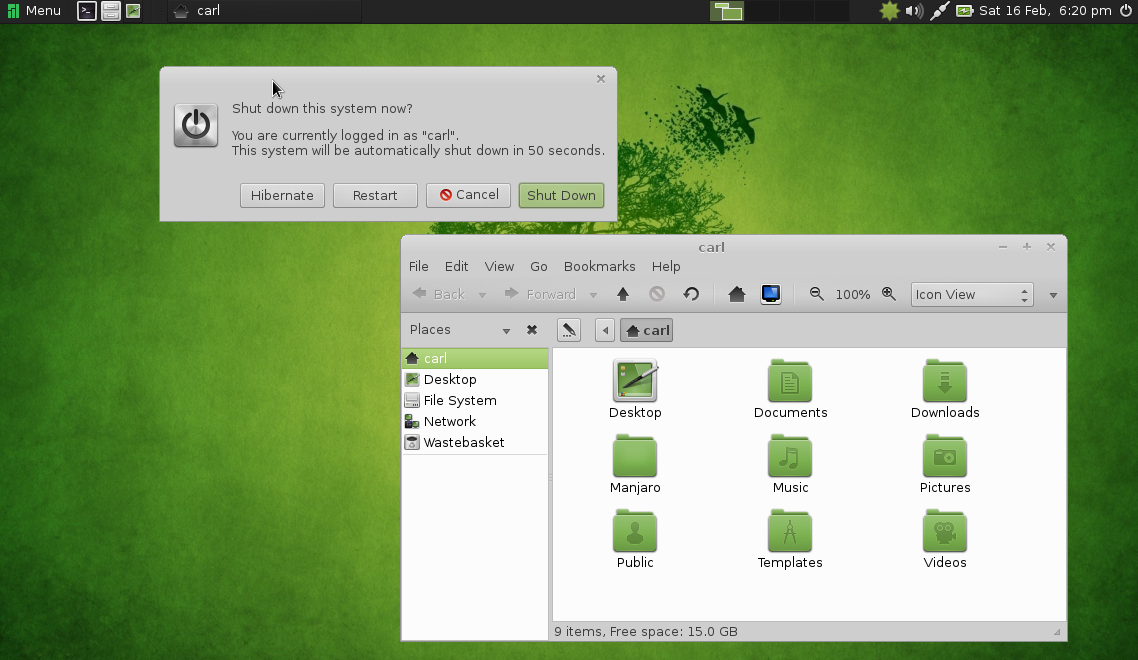
Still in beta, from the house of Arch, Manjaro ives you rolling release with a wide choices of desktop environments. I suggest MATE desktop, which is both modern and traditional simultaneously. Manjaro comes with out of the box multimedia support and good hardware driver support. Only downside is, it needs bit powerful hardware.

Get your copy at: http://manjaro.org

5. Bodhi

”Enlightenment” comes here. You need 128MB RAM to run this distro. I won't say it has all tools you need, but it will meet your expectation. The lightweight UI looks so polished and you can fool your friends that yours is a latest PC with a latest OS ;-)

You can negate your bad karma here: http://www.bodhilinux.com/